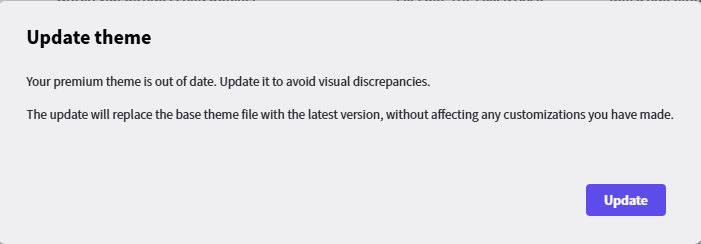
I keep getting asked to update a premium theme on one of my projects. I click update and Radzen then gets stuck building application. I can not see live preview of my pages.
Hi @JesseG,
Does restarting Radzen Blazor Studio resolve the issue? Also do you have a hardcoded Radzen.Blazor version in the csproj of your app? And finally which theme are you using?
Hi @korchev ,
No restarting Radzen just gives me the message again. I can run the application.
I do not have hardcoded version
Using Material 3 theme
Hi @JesseG,
We tracked this down — what you're hitting is almost certainly a permission/locking problem on wwwroot/css/material3-base.css: when Radzen Blazor Studio tries to overwrite it during the update, the copy throws and a bug in our code left the design-time build paused after that, with no error surfaced to you. So the prompt looked like it never finished, and the live preview never came back.
We've fixed both halves of this:
- The update no longer leaves the build paused if the copy fails — saving any file in the project will trigger a build again as normal.
- Update failures will now surface as an error dialog with the underlying reason, instead of being silently swallowed.
This fix will ship in the next release (probably tomorrow)
In the meantime, a few things worth trying on your end:
- Check the permissions on
wwwroot/css/material3-base.css(andmaterial3-dark-base.cssnext to it) — make sure they're writable by your user. - Restart your PC. There is a chance another process holds a lock on the file.
- If neither helps, try switching the theme to a different one in Radzen and then back to Material 3 — that takes a different code path and usually unsticks things. Failing that, simply delete
wwwroot/css/material3-base.cssand let Radzen recreate it on the next "Update theme" prompt.
@korchev ,
The files had the right permissions for my logged in user so I ended up just deleting the 2 .css files an that seams to have done the trick so far.
Thank you for the fast response.
Jesse