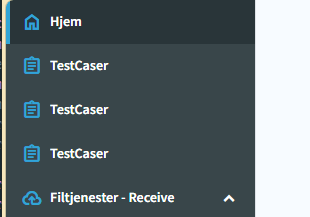
Hi! i just took over a project and i got this very dark sidebar that doesent look very good im trying to change it up a bit but im struggling to understand how. In inspector tool i can see that .rz-panel-menu is changing the color to dark and that is the radzen class. I can ofc manually change the radzen sidebar color along with the radzenpanelmenu color, but i was hoping for some easier way to change the theme of it. When i change Theme in App.razor, only the body changes not the sidebar. I was under the impression theme should change everything.
Quick screenshot , note that the icons are manually colored
Anything im doing wrong ? any help or tips would be very useful.
Hi @henrik_johansen,
Answering the following questions would help us and the community understand the problem at hand:
- What theme are you using?
- What theme did you try using as a fix?
- What does "I can ofc manually change the radzen sidebar color along with the radzenpanelmenu color, but i was hoping for some easier way to change the theme of it." mean? The sidebar color is determined at theme level. If it doesn't change it is probably overridden in your app.
In any case you can use your browser's developer tools to inspect where the background color of a certain element is coming from.
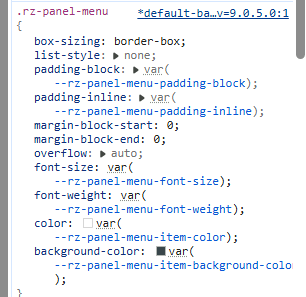
Its now set to default theme but ive tried using everysingel one. I agree to that somthing is interfering i just cant find it. Inspector tool shows this as the culprit:
Altough this attribute is ofc nowhere to be found in the project code, i assumed it was via the radzen theme,but as stated earlier i cant seem to be able to change sidebar code thorugh theme change. The theme is added directly into the head section of the app.razor file. : <RadzenTheme @rendermode="@InteractiveServer" Theme="default" />
Check the background color that is actually applied. It is available in the next tab (Computed in Google Chrome):
And yes, the sidebar is dark in the Default theme by design.
Hi! sorry for the trouble. the theme just failed to render properly when i ran it with dotnet watch, changing themes worked when i restarted