Screenshots:
I’m not sure what you are reporting, please clarify.
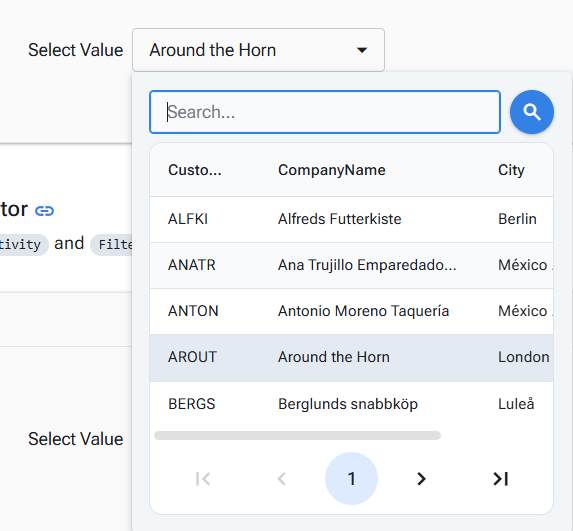
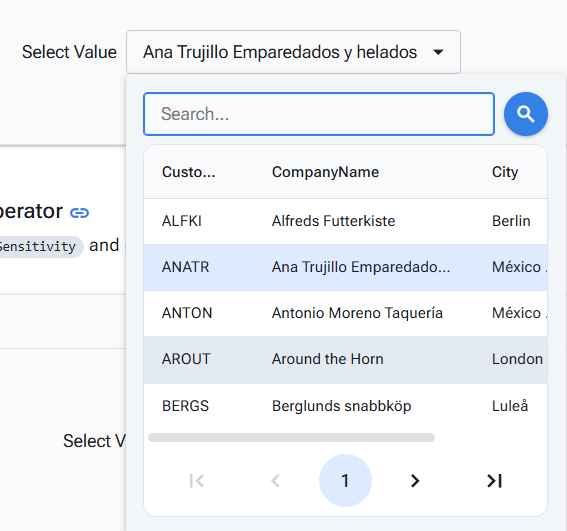
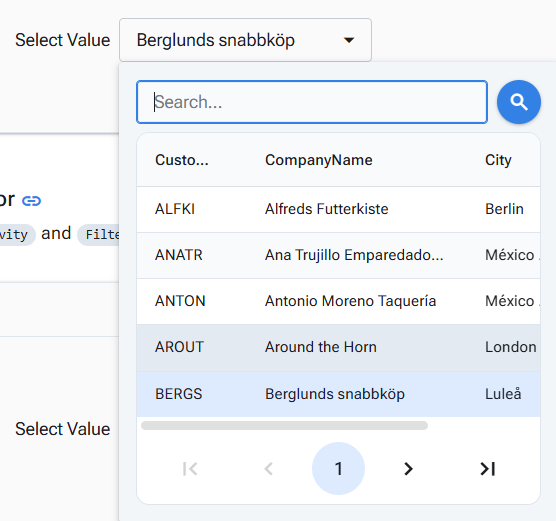
When a default value is specified in a DropDown DataGrid, the background of the default value row is set to :hover but not highlight.
- Open DropDownDataGrid
- Select another row
- Open DropDownDataGrid
- As a result, the background and text color of the row by default did not change.


This is what I see:
https://blazor.radzen.com/dropdown-datagrid#template
"DropDownDataGrid with custom header, footer, value and item templates"
try this version and set the theme on software, it is more noticeable there
I see what you are refering now - there are two styles for DropDownDataGrid items: focused and selected and they can be applied on different rows. By default when you select a row the focus and the focus styles should move to that row - we will check why this is not working in this case and we will fix it.
1 Like