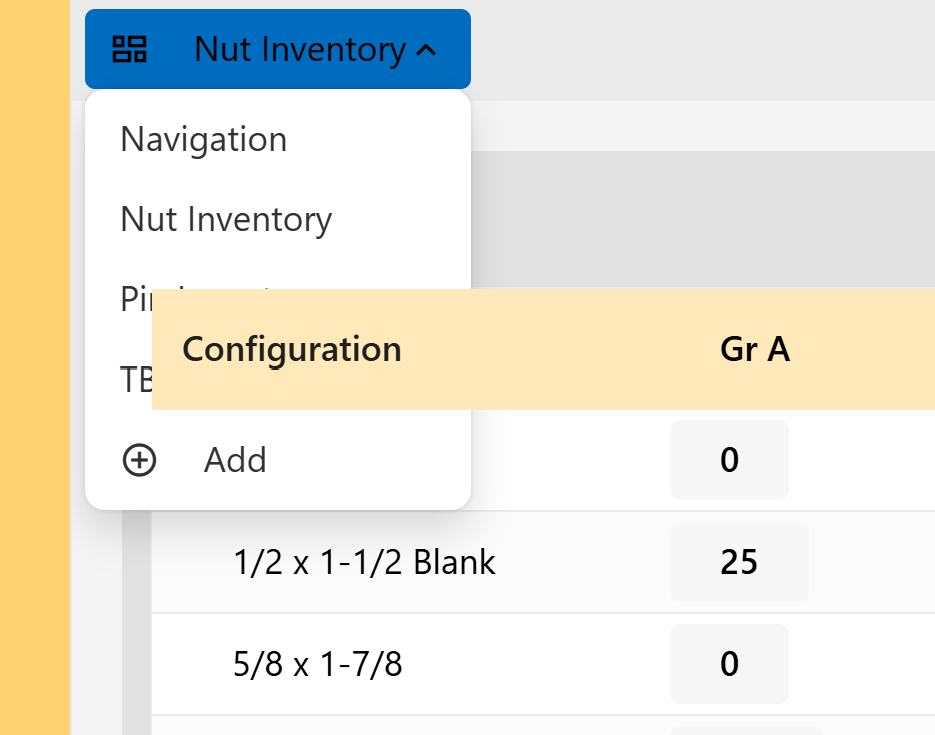
We have encountered a new issue in our app. It seems like the header for the RadzenDataGrid is now overlapping dropdown menus. Here is a picture of it interfering with the dropdown on a RadzenMenuItem:
This issue did not exist before; we first noticed it at the start of the week and were hoping an update would fix it. However, we have updated the Radzen.Blazor NuGet package to its most recent version (10.0.5) and the issue still exists. We are using the Fluent theme if that is helpful. Do you have any suggestions on how to fix this? Thank you so much!
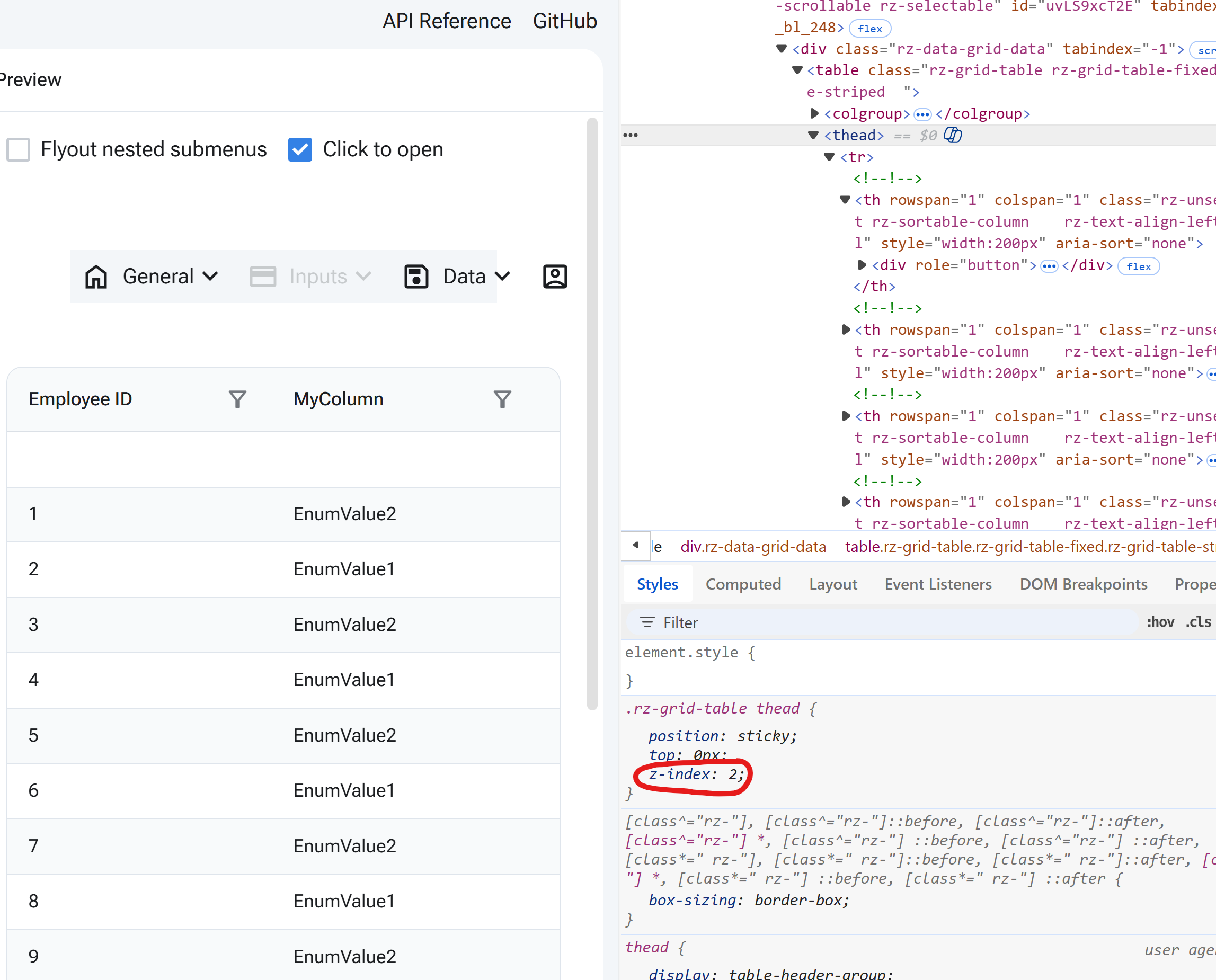
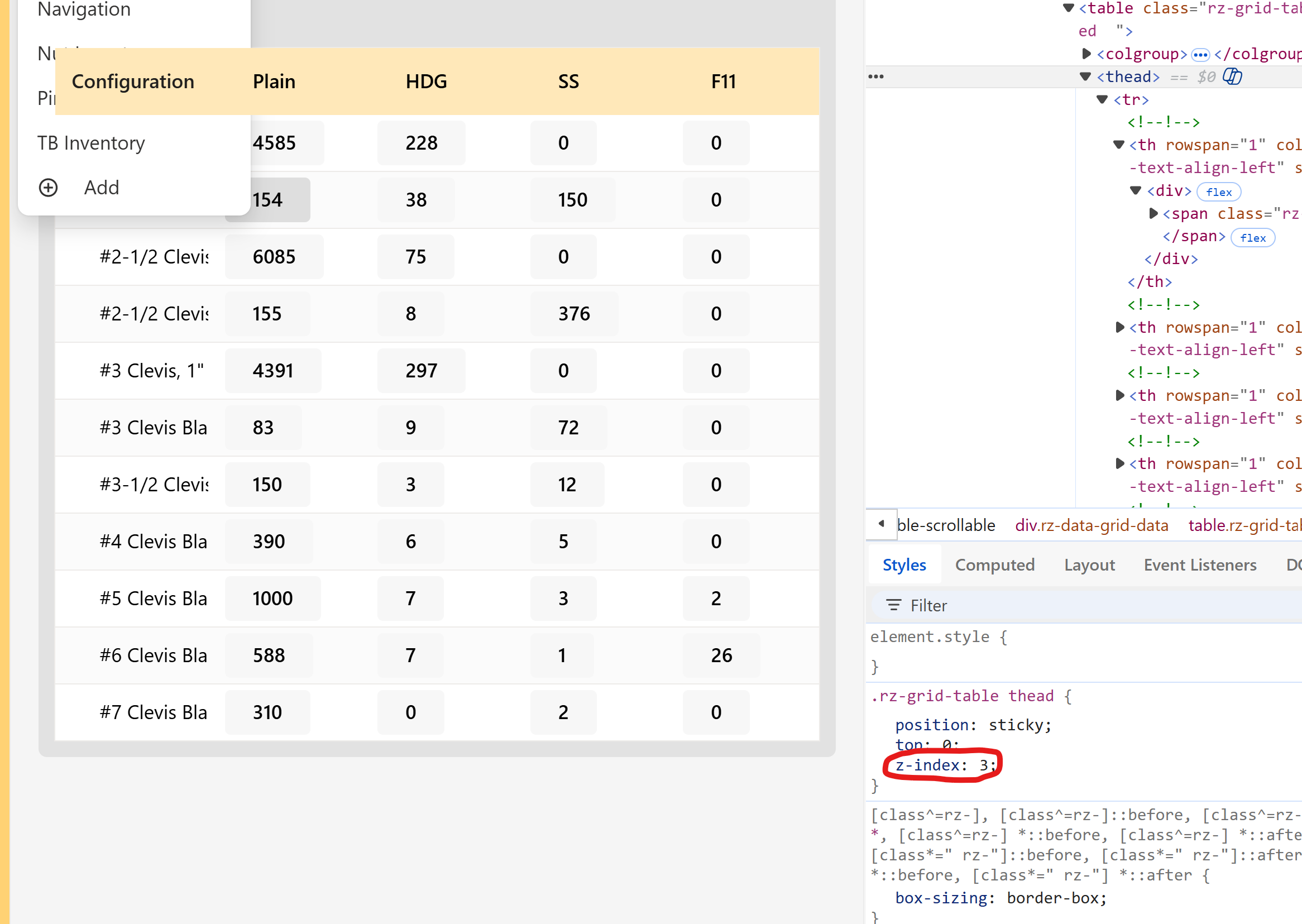
I found the issue, but I am not sure how it happened. In the online Radzen Playground, the z-index for thead (the data grid header) is 2, but in my app, it is 3:
Thank you, that is one of the things I tried before manually overriding the z-index in my prior message. However, after reading your message, I opened Radzen Blazor Studio to try it again and I got a notification that there was an update to the premium themes. After applying the update, the issue appears to be fixed! I removed my manual override, and the data grid is no longer overlapping the dropdown menus. Thank you for your help!