
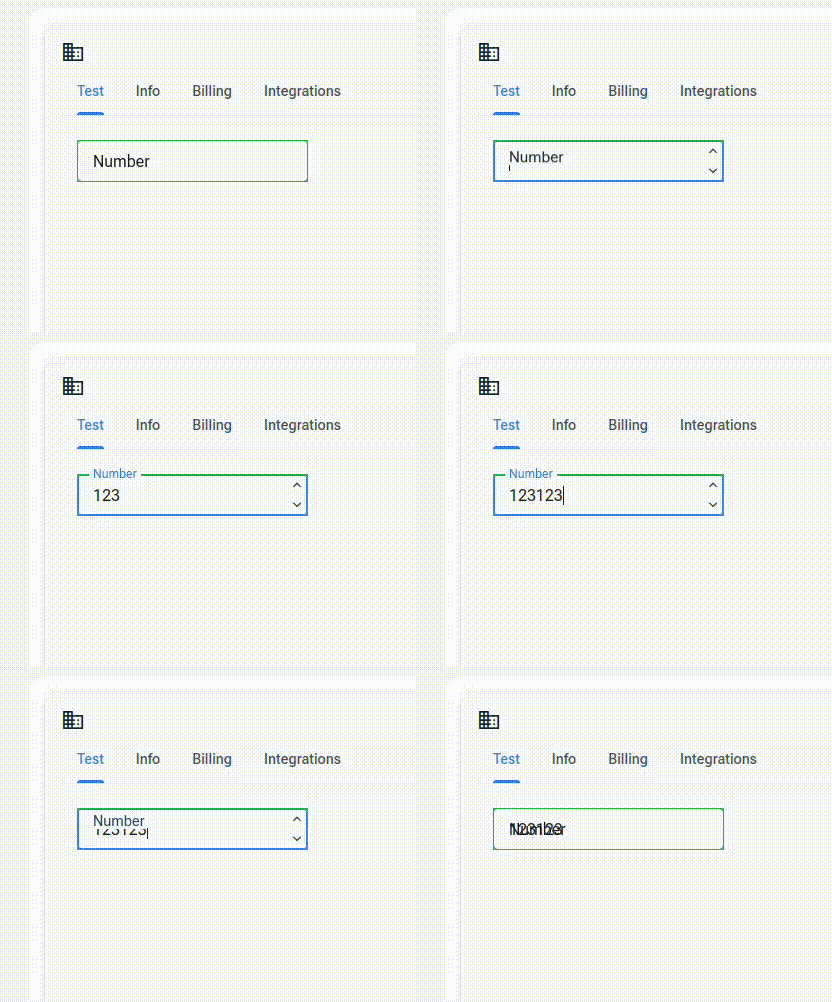
There seems to be something off with the RadzenFormField and RadzenNumeric interaction. On random instances it keeps overlapping the FormField text with the input text.

This the source code.
There seems to be something off with the RadzenFormField and RadzenNumeric interaction. On random instances it keeps overlapping the FormField text with the input text.
This the source code.

You can't see my pointer but the issue happens when I defocut the input field by clicking somewhere outside of any other input field. If I set the focus on the next input via tab or click then everything is fine, but if I click for example between the input fields to switch the element focus, then this bug happens
Hi @iustin94,
I couldn't reproduce this in the demos. Could it be due to a missing @rendermode? All interactive features of the Radzen Blazor components require interactivity of the container .razor file to be enabled or the @rendermode attribute of the component to be set to one of the following values: InteractiveServer, InteractiveAuto or InteractiveWebAssembly. More info is available in the rendering mode article from the official Blazor documentation.
Hi, all the render modes are set to interactive server on my components. I have narrowed down the issue to be on the components that have nullable types. When I click out of the select field of the form, all the input values are cleared. Which is not what I want, I want for the user to be able to defocus the field but have the data still there.
I looked at the demo components and none of them seem to have the types set to nullable which gives the fields the default value I assume and prevents this bug from showing
I tested this in our online demos (they are editable) and everything seems to work as expected:
<RadzenTemplateForm Data=@model>
<RadzenFormField Text="Number">
    <RadzenNumeric @bind-Value="@model.Number" />
</RadzenFormField>
</RadzenTemplateForm>
@code {
    class Model
    {
        public int? Number { get; set; }
    }

    Model model = new Model();
}
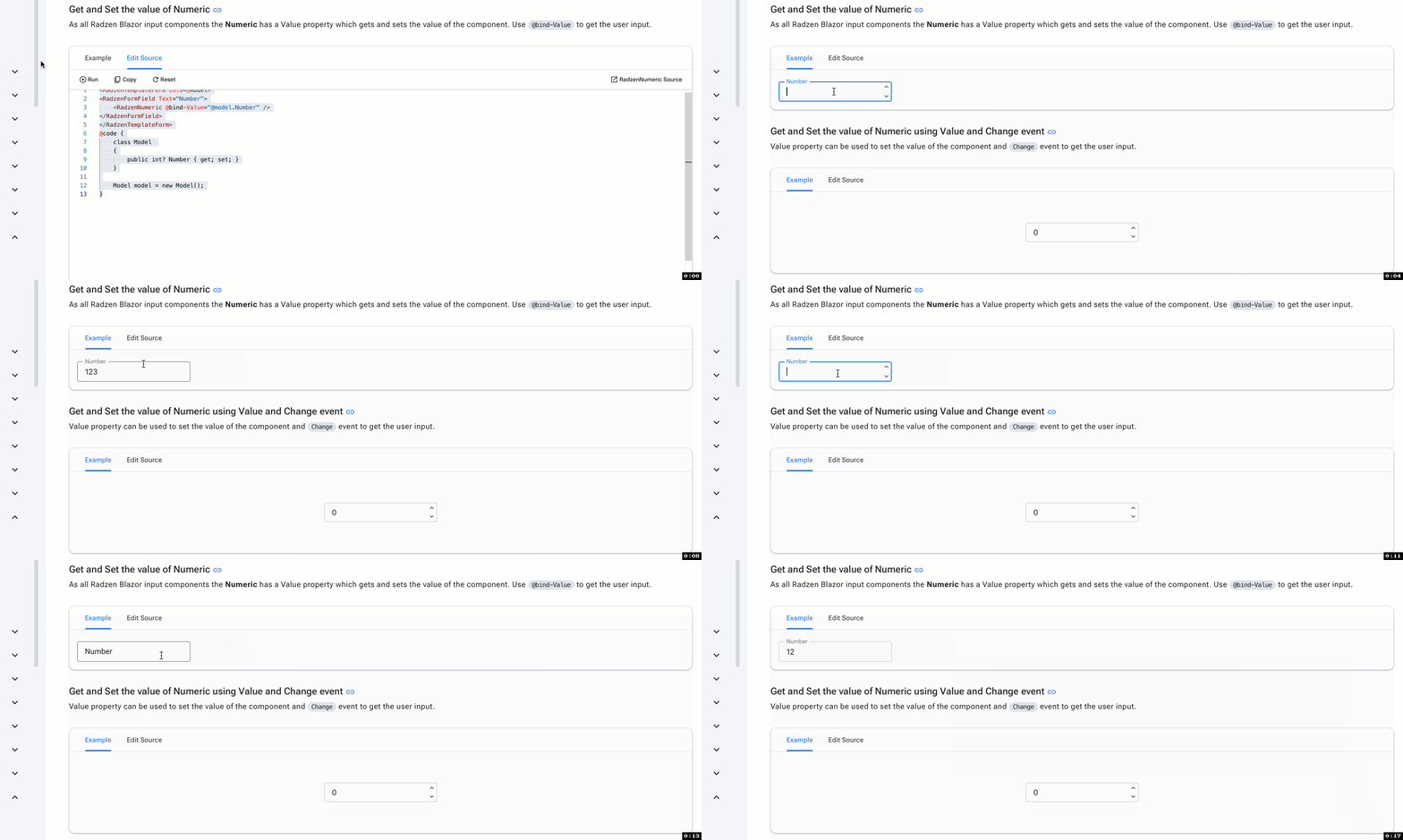
Can you update this snippet so it starts to behave as in your app?
It took a while but I managed to. It's a visual bug caused by my setup rerendering the form.
@using System.Runtime.InteropServices.JavaScript
@using EsioBudget.Application.Company
@using EsioBudget.WebApp.Services

<RadzenTemplateForm Data=@model>
    <RadzenFormField Text="Number">
        <RadzenNumeric @bind-Value="@model.Number"/>
    </RadzenFormField>
</RadzenTemplateForm>

@code {

    [Parameter] public CompanyOverviewDtO? Data { get; set; }

    [Inject] public UserService UserService { get; set; }

    class Model
    {
        public int? Number { get; set; }
        public Guid IdentityUserId { get; set; }
    }

    Model model = new Model();

    protected override async Task OnParametersSetAsync()
    {
        await LoadModel();
    }

    private async Task LoadModel()
    {
        var identityUserId = await UserService.GetCurrentUserAccountIdAsync();
        if (Data == null)
        {
            model.IdentityUserId = Guid.Parse(identityUserId);
        }
        else
        {
            model.Number = Data.Address.FromNumber;
        }
    }
}
So what happens is that when the form is rendered the Data object is null and the model gets filled by the user. Then when the user fills the input, the model value is updated. When the user clicks outside of the field , the form is rerendered. Since the user did not submit the form, the data object comes back and the number in the model is overwritten to be null. This however does not seem to update the number input through the bind
We will need actual runnable code in order to troubleshoot further. You seem to be updating the model while the animation has started. Maybe a possible workaround is to hide the form until data is available. The Visible property can be used for such cases.
Alright, I will try to get back to you later tonight then 
Sorry for not getting back sooner. I tried to reproduce the issue in a sample project but could not do it. I solved the bug on my end by basically loading the compopnent data in the OnInittializedAsync call and also removing any external parameters.
In the one I showed, the OnParametersSetAsync was being triggered which happened every time I clicked out of the field, I assume due to the animations being triggered. I wentt around this by making the component closed. I would consider this still a bug that I'll try to pay attenttion to reproduce.