Hi..
after the new updates, I receive this red advertising on the code
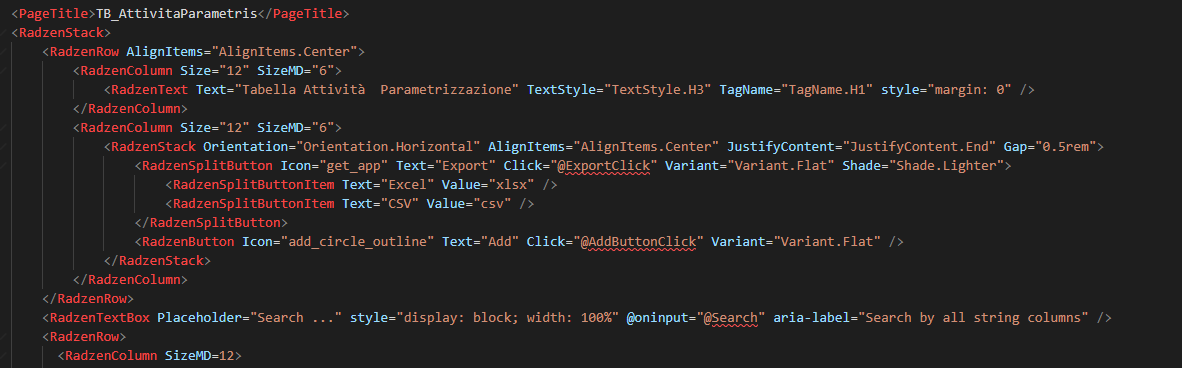
but the app runs correctly
I have to change something after the update?
Hi..
after the new updates, I receive this red advertising on the code
but the app runs correctly
I have to change something after the update?
Hi @Stefano_Carta,
You probably need to restart or rebuild. Those errors should go away if the app builds and runs fine.
Thanks…
I tried to run and restart Blazor app, but nothing…
and the app works fine
Does design time work as expected - are pages showing normally?
yes works as expected
In that case I am out of ideas. Try deleting all bin and obj directories within your app - there is a chance this could help.
Hi @Stefano_Carta ,
You're most likely getting an error like "Ambiguity between 'member1' and 'member2' (CS0229)".
I also encounter this unpleasant situation from time to time. One of the following methods always works for me:
Add the same @namespace as the code-behind class in the ".razor" file. (Sometimes, .razor files can't resolve this namespace.)
Add "Component Base" to the class definition in your ".razor.cs" file - if it exists-.
If you are writing your C# code directly in the ".razor" file, move the variable definitions to your code-behind file.