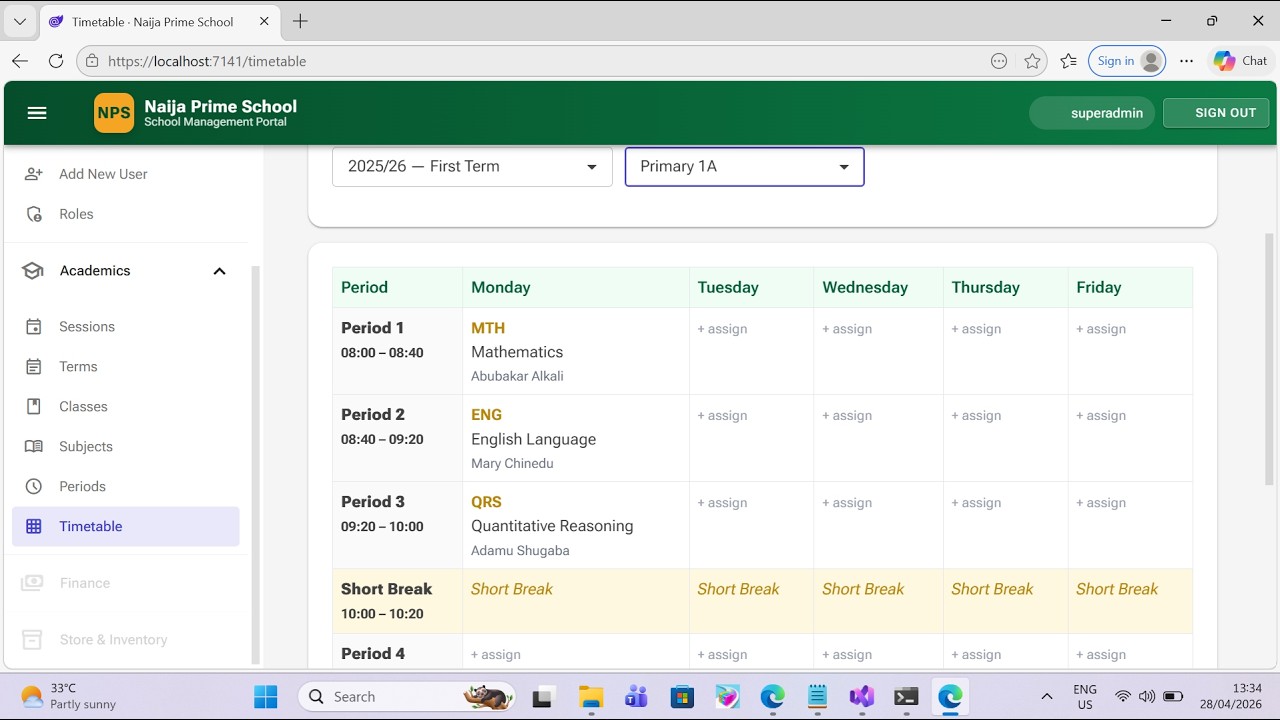
In this video, I walk you through Sprint 2 of the Naija Prime School project —
the Academic Domain. Building on the Sprint 1 identity, audit, and soft-delete
foundation, this sprint delivers the data model and admin screens that any
Nigerian school management system needs before it can talk about students,
attendance, results, or fees: Sessions, Terms, Classes, Subjects, Timetable
Periods, and the weekly Timetable Grid.
 Stack
Stack
- .NET 10
- Blazor Web App (Auto interactive render mode)
- Entity Framework Core 10
- SQL Server
- Radzen Blazor components
- Visual Studio Code with the C# Dev Kit
 What's covered in this video
- Where Sprint 2 sits relative to Sprint 1, and what is reused unchanged
(BaseEntity, audit/soft-delete SaveChanges override, OperationResult,
ILookupService, the green/gold Radzen shell) - Architectural decisions: lookups as first-class tables instead of C# enums,
DateOnly / TimeOnly, IsCurrent flags, composite unique indexes, foreign-key
delete behaviour, service-per-feature-area, and inline forms vs Radzen dialogs - The 9 new domain entities — Session, TermType, Term, ClassLevel, SchoolClass,
Subject, WeekDay, TimetablePeriod, TimetableEntry - DTOs, service contracts, and the five service implementations
(SessionService, TermService, SchoolClassService, SubjectService,
TimetableService) plus the LookupService extension - ApplicationDbContext.ConfigureAcademics — the model builder block, unique
indexes, query filters, and how soft delete extends to every academic entity - EF Core migration: 9 tables, 14 indexes, what it creates and what it does NOT
do - DatabaseInitializer seeding TermTypes, ClassLevels, WeekDays, and a default
set of TimetablePeriods (Period 1–7 plus Short Break and Lunch) - The 6 Radzen Blazor pages — Sessions, Terms, Classes, Subjects, Timetable
Periods, and the click-to-edit Timetable Grid - Authorization matrix — SuperAdmin and HeadTeacher manage configuration;
Teacher gets read access to the timetable - Audit and soft-delete lifecycle traced through a successful Term creation,
a successful soft-deletion, and a failed save
 End-to-end smoke test (live)
At the end of the video I run the smoke test on a fresh checkout:
- Sign in as superadmin
- Create the 2025/2026 Session and mark it current
- Create First, Second, and Third Terms
- Create Primary 1A
- Create the Mathematics subject (code MTH)
- Verify the seeded periods (Period 1–7 + Short Break + Lunch)
- Lay out a timetable cell — click, assign Mathematics, save, edit, remove
- Confirm soft-delete behaviour — including the friendly "still referenced"
error and the IsDeleted = 1 row in SQL Server
 Downloads
The full long-form Implementation Guide for Sprint 2 (102 pages) can be
downloaded here:
The complete source code can be pulled from the repository:
The Sprint 2 work lives on the sprint/2-academic-domain branch.
 If this walkthrough is useful, please like, subscribe, and leave a comment
with what you'd like to see in Sprint 3 — Students, Parents, and Enrolment.
#Blazor #DotNet10 #EFCore #SQLServer #RadzenBlazor #CSharp #SchoolManagement
#NaijaPrimeSchool #SoftwareEngineering #FullStack