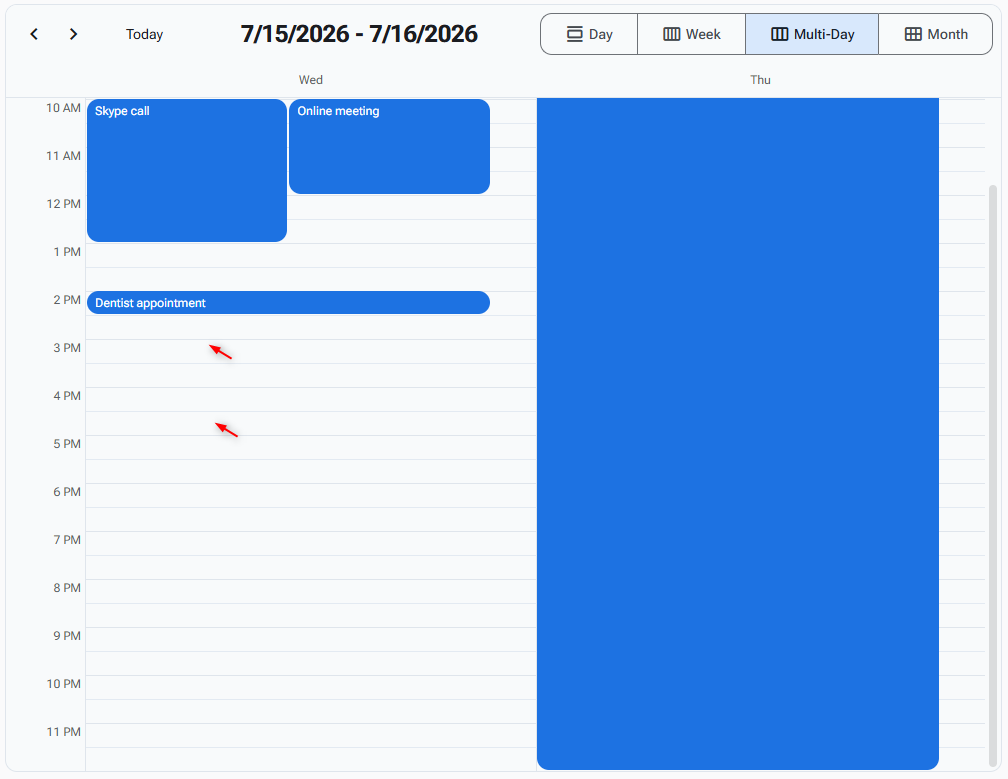
During the dragging action a ghost or standard shape is visible and resizes on mouse move.
After the mouse is released the Scheduler component can deliver the Slot (or time) where the mouse drag started and the slot (or time) where the mouse drag ended so we can use this data to prefill the appointment form.
Yes. Also worth noting this is a big feature that affects most existing views. It needs styling as well. And all other gritty details - selecting slots from two days, two weeks etc. Essentially this is slot selection implemented in all views that support adding events.
I have implemented the range select using mouse in all views and it works a treat. However, I have currently only managed to implement keyboard navigation on the MonthView
As the other views currently stand, I can’t get any navigation on the slots. On the DayView, it only cycles through any appointments that are present. I debugged the YearPlannerand it looks like it is setting CurrentDate correctly, but not highlighting. Using Browser Dev Tools, I manually added rz-state-focused to a slot but that also didn’t highlight. May be a css declaration issue..
Is the way that the other views operate by design?
The planner/timeline behavior is not intentional — it's a keyboard-navigation bug (focused date stuck in the previous year's start-of-grid month), while the dev-tools "class does nothing" observation is expected (:focus-visible scoping), and DayView's appointment-cycling is deliberate. The fix would be initializing CurrentDate from GetYearRange().yearStart instead of StartDate and deriving arrow/month math from the displayed year and StartMonth - it will be part of our next update early next week.
In order enable range selection for schedule views, mouse is pretty straight forward but keyboard navigation has to be modified significantly.
MonthViewfindings
Currently, keyboard navigation appears to be all taken care of within one context. Using Enter to add an appointment and Space to edit appointment (if available). up / down used if there are appointments in a slot but move a week back / forward if not. Doesn't immediately strike as intuitive and would cause problems if trying to select a range.
There's no controlled way to get to the + more button. Constant tabbing will eventually get there after visiting Appointments and DayNumber elements.
Tabbing to DayNumber and hitting Space or Enter will fire OnAppointmentClick or OnSlotClick respectively AND the DaySelect event, so no real way of using keyboard for this at the moment.
My proposal is using a mode while in the view -
When the user hits focus with the View (contentView div), it takes full control over the keyboard. We have a 'Keyboard Mode' that the View is currently in, that is moved on or back using Tab and Shift-Tab. These modes will be -
SlotNavigation - Move left, right, up and down through the grid. Holding Shift will enable range selection. Hitting Space or Enter will call OnSlotClick
AppointmentNavigation - Move through the appointments in the current view including overspill (+ more) button. Space or Enter will action either OnAppointmentClick (actual appointment) or OnListClick (+ more)
DayNumberNavigation - Move left, right, up and down through the grid. Hitting Space or Enter will call OnDayClick
Whatever is highlighted will indicate what mode you are in (SlotNavigation, AppointmentNavigation or DayNumberNavigation).