Label and Icon Vertical Alignment

Hello Radzen Team!

I was trying to follow the example of your label with custom content as in the demos:
Blazor Label Component | Free UI Components by Radzen
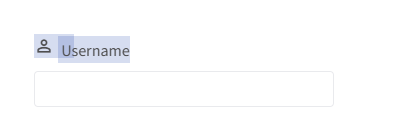
and noticed the icons and the labels are not vertical aligned by default.

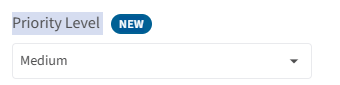
However, the second example with the badges looks a lot better in terms of alignment:
image

I guess we can work around it, but I was wondering if we can get that feature by default.

Thank you in advance!!

Hi @cscastilloliva90,

Icons and text have different vertical alignment by default in HTML. The recommended approach is to wrap the label content in a RadzenStack and align it there:
<RadzenLabel Component="UsernameInput">
    <RadzenStack Orientation="Orientation.Horizontal" AlignItems="AlignItems.Center" Gap="0.25rem">
        <RadzenIcon Icon="person" /> Username
    </RadzenStack>
</RadzenLabel>

We will update the Label custom content demo to use this approach in our next release later the week.

Thank you very much!