This issue is still present in the Radzen templates and was previously highlighted (see Issue with icons not loading). While the solution provided by another user resolves the problem, the templates supplied with newer versions have not yet been updated to incorporate this fix.
Hi @scottmcintosh,
This isn't a known issue. Please check in your browser development tools if the icon font is not loading (leads to 404 HTTP error).
Hi,
When the same template is built manually using .NET 10 & 9 & 8, the [ <RadzenIcon Icon="smart_button" ] flicker does not occur. However, when any of the Radzen template wizards are used, the RadzenIcon flickering issue is present. Please see the uploaded video in zip format.
Recording 2026-04-22 093646.zip (873.1 KB)
What do you mean by "built manually"? Changing the theme replaces stylesheets so flicker could occur. How do you change the theme in the "built manually" application?
Prior to purchasing a team licence, we did not have access to any templates generated by the Radzen wizards. Consequently, we followed the “Get Started” instructions for “.NET 10, 9, and 8”, under which this issue did not occur.
However, when using templates created via the Radzen wizards, we consistently observe a flicker where the icon text briefly appears before the icon itself has finished loading. This behaviour occurs when changing the theme using the <RadzenAppearanceToggle /> component.
Notably, this issue appears to be isolated to the pre‑created wizard templates and does not occur in projects created by hand manually following the official setup instructions.
Do you reproduce the flicker at blazor.radzen.com or www.radzen.com? Also what template and rendering mode did you pick when creating the application? What browser are you testing with? Is caching enabled?
Here is my experience with a new empty .NET 10 application that uses Auto rendering mode and Google chrome (no visible icon flicker occurs after changing the theme):

Net10Auto.zip (2.3 MB)
Hi,
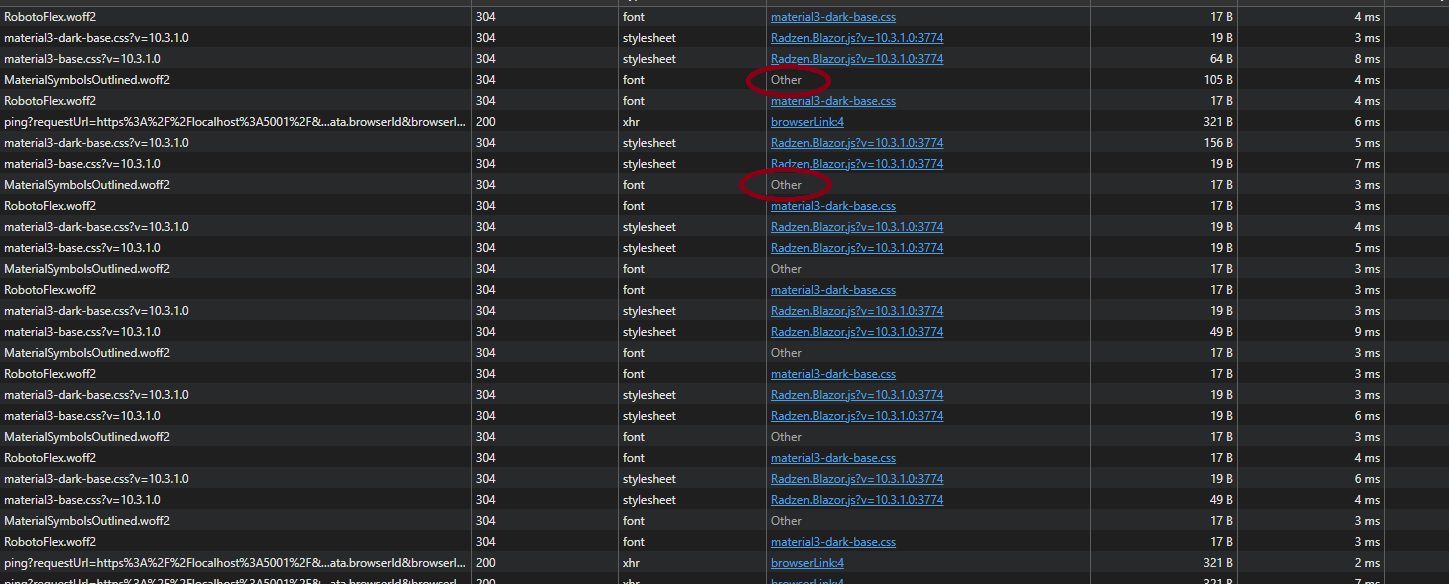
The icon flickering latency has improved; however, it is still present when toggling from light/dark mode. While monitoring the Network tab in the browser’s Developer Tools, the flicker consistently occurs when the request Initiator is reported as “Other”. Additionally, on a successful toggle of the light/dark mode button, the page repeatedly appends new rows.
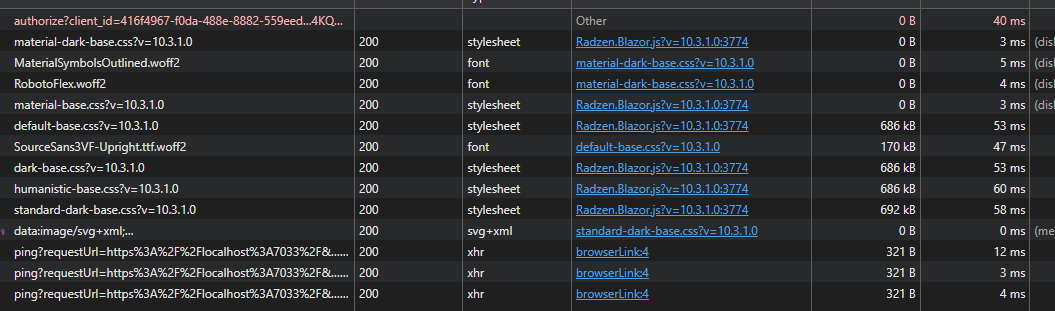
By contrast, when I create a new Blazor application that is manually configured using your walkthrough tutorial - not in Radzen Blazor Studio, the Initiator never appears as “Other”, and the Network tab shows only a single initial content load. In that scenario, the icon flicker does not occur.
Hi Scott,
The screenshots show different themes (material3 vs material). What happens if you use the same theme? Also you didn't answer if blazor.radzen.com and www.radzen.com flicker when you change the theme. Honestly we don't know what this "Other" initiator may be as we have never seen it before. And please clarify what "Blazor app that is manually configured" means. What version are you using and rendering mode? What are the differences in configuration (Program.cs) between both apps? Radzen Blazor applications are created to follow the official Blazor template and there shouldn't be many differences.
Hi, apologies for the delayed response.
The issue appears to originate within www.radzen.com and https://blazor.radzen.com/, as demonstrated in the uploaded video. However, the behaviour has since improved and is now less prominent.
Recording 2026-05-20 133729.zip (7.4 MB)
Hi @scottmcintosh,
Thank you for the video! We conducted a thorough research and found two similar issues related to theme switching:
- The one visible in your latest video. Switching themes works by swapping the theme stylesheet. If a second switch started before the first one had finished loading (i.e. clicking the appearance toggle rapidly), the browser could momentarily end up with no theme stylesheet applied, showing unstyled content for a beat. This is now fixed in Radzen.Blazor: theme switching only swaps once the current theme stylesheet has fully loaded, so a rapid second click can no longer interrupt it mid-load. The fix is in the latest source and will go live in the next release.
- The one you reported initially - changing the theme makes icons render as text first. This is a side effect of how .NET serves static files in the Development environment. There,
MapStaticAssetssends static files (including the icon font) withCache-Control: no-cache. So every time the theme stylesheet changes, Google Chrome (and Edge) re-validates and re-activates the icon font, briefly blanking the icons. Other browsers don't do this, and it does not happen in production, where the files are cached normally. If it bothers you while developing, add this to your appsettings.Development.json:
That keeps the font cached in development too, and the icon flicker goes away. We've applied the same setting to our demo projects. More details available here: Static files in ASP.NET Core | Microsoft Learn. You said that this doesn't happen in{ "EnableStaticAssetsDevelopmentCaching": true }dotnet new(standard) Blazor apps but we managed to reproduce it there every time too. We believe the static asset caching combined with Google Chrome is the actual cause.
Thanks, much appreciated!