Hello,
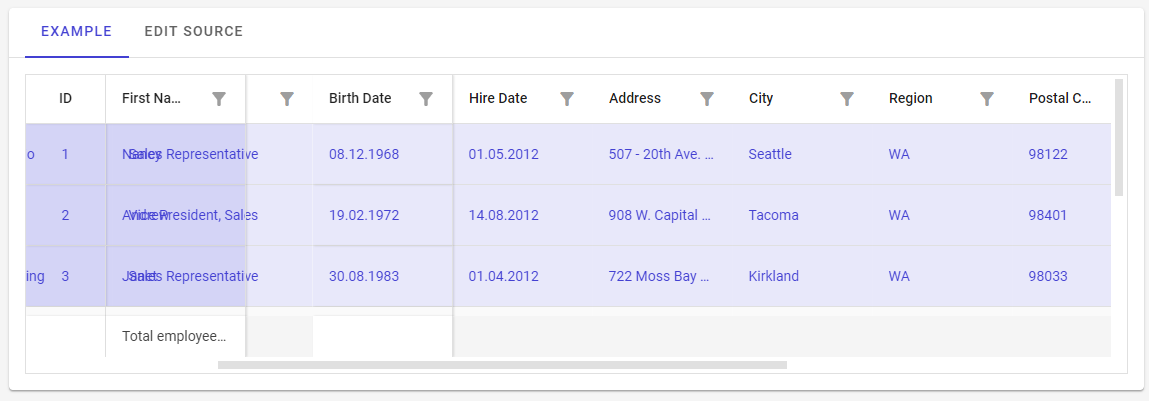
im currently using the Radzen Blazor Components in a Project and i tried to use a DataGrid with Multiselect for the rows. It worked all well, but when i made some columns static with the Frozen-Attribute, it caused some visual bugs when scrolling to the right.
The columns, that should hide behind the frozen columns, are visible behind the frozen columns when the row is selected.
This is even the case in the Radzen Online Demo.
Blazor DataGrid frozen columns (radzen.com)
When you add the code
SelectionMode="DataGridSelectionMode.Multiple"
In row 8 of the code and run the changes, the bug is visible when selecting a row and scrolling to the right