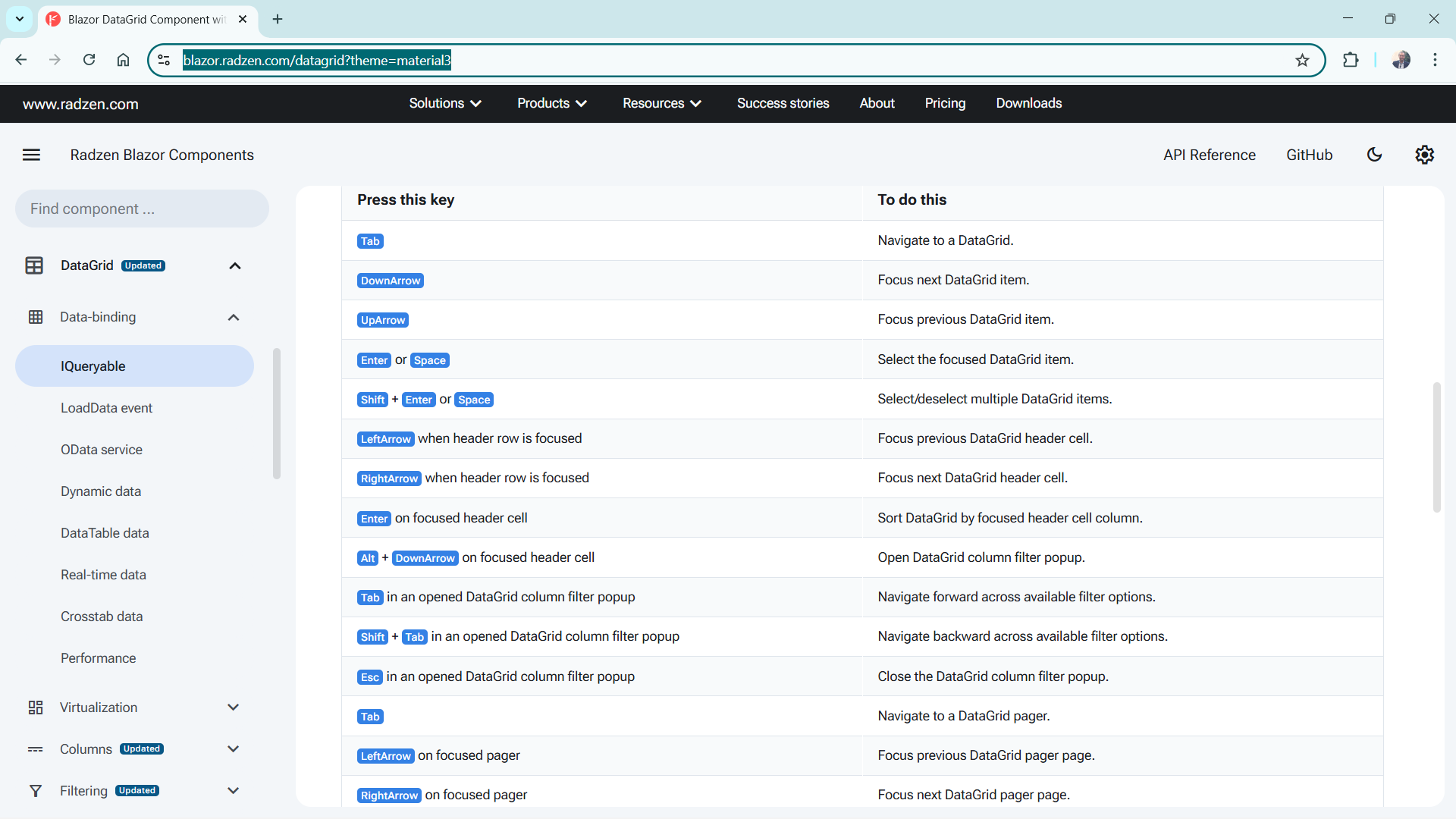
I am going back over all of my applications I’ve built at my current company, to make sure they are fully accessible, and I have come across an issue with the DataGrid.
I have a datagrid which displays case information. Each case has several additional datagrids worth of data displayed below it. What follows is a basic version of what I’m doing:
<RadzenDataGrid @ref="_grid" ExpandMode="DataGridExpandMode.Single" AllowPaging="true"
                RowRender="@RowRender" PageSize="10" Data="@_exports" TItem="ExportVm"
                AllowSorting="true" AllowFiltering="true" FilterMode="FilterMode.Advanced"
                FilterCaseSensitivity="FilterCaseSensitivity.CaseInsensitive" IsLoading="@_isLoading"
                PageSizeOptions="@_pageSizeOptions" ShowPagingSummary="@_showPagerSummary" PagingSummaryFormat="@_pagingSummaryFormat" >
    <Columns>
        <RadzenDataGridColumn TItem="ExportVm" Title="My Title" Property="Permit.Title" Width="7%" />
    </Columns>
    <Template Context="details">
        <div class="myTitle"><label>Location</label></div>
        <RadzenDataGrid Data="@details.Details" TItem="ExportVmDetail" title="Location">
            <Columns>
                <RadzenDataGridColumn TItem="ExportVmDetail" Property="Location.LocationDescription" Title="Location Description" />
            </Columns>
        </RadzenDataGrid>
        <div class="myTitle"><label>Permittee</label></div>
        <RadzenDataGrid Data="@details.Details" TItem="ExportVmDetail">
            <Columns>
                <RadzenDataGridColumn TItem="ExportVmDetail" Property="Permittee.Identity" Title="Identity" />
            </Columns>
        </RadzenDataGrid>
    </Template>
</RadzenDataGrid>
For clarification, here is my RowRender code:
    void RowRender(RowRenderEventArgs<ExportVm> args)
    {
        args.Expandable = true;
    }
The left-hand side of the datagrid looks like this:

I can click the toggle to display the other datagrids below this one:

But if I tab around the page, the entire datagrid is selected, then it goes straight to the pagination menu.

How do I get it to stop at the toggle so a user tabbing through with just a keyboard can open the secondary datagrids?