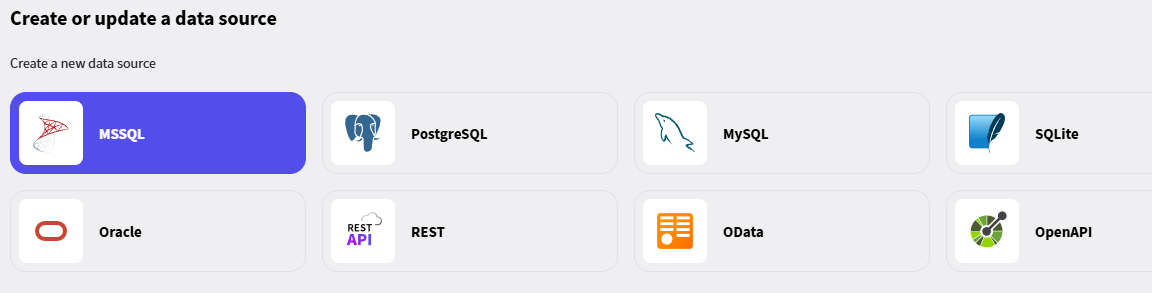
If I refresh the model from the database with the database wizard all my classes have other naming conventions:
Old Model:
[Table("Pfuscheraktinhalt", Schema = "dbo")]
public partial class Pfuscheraktinhalt
{
[Key]
[DatabaseGenerated(DatabaseGeneratedOption.None)]
[Required]
public int Akt_ID { get; set; }
    public Pfuscherakt Pfuscherakt { get; set; }

    [Key]
    [DatabaseGenerated(DatabaseGeneratedOption.Identity)]
    public int Dokument_ID { get; set; }

    [Required]
    public int Dokumenttyp_ID { get; set; }

    public Dokumenttyp Dokumenttyp { get; set; }

    [Required]
    public string Dokumentname { get; set; }

    [Required]
    public byte[] Dokumentinhalt { get; set; }

    [DatabaseGenerated(DatabaseGeneratedOption.Computed)]
    public string Dokumentgröße { get; set; }

    public bool Intern { get; set; }

    [Column(TypeName="datetime2")]
    [Required]
    public DateTime angelegt { get; set; }

    [Column(TypeName="datetime2")]
    public DateTime? geändert { get; set; }

    public string Benutzer { get; set; }
}
now model:
[Table("Pfuscheraktinhalt", Schema = "dbo")]
public partial class Pfuscheraktinhalt
{
[Key]
[DatabaseGenerated(DatabaseGeneratedOption.None)]
[Column("Akt_ID")]
[Required]
public int AktId { get; set; }
 public Pfuscherakt Pfuscherakt { get; set; }

 \[Key\]
 \[DatabaseGenerated(DatabaseGeneratedOption.Identity)\]
 \[Column("Dokument_ID")\]
 public int DokumentId { get; set; }

 \[Column("Dokumenttyp_ID")\]
 \[Required\]
 public int DokumenttypId { get; set; }

 public Dokumenttyp Dokumenttyp { get; set; }

 \[Required\]
 \[MaxLength(255)\]
 public string Dokumentname { get; set; }

 \[Required\]
 public byte\[\] Dokumentinhalt { get; set; }

 \[DatabaseGenerated(DatabaseGeneratedOption.Computed)\]
 \[MaxLength(35)\]
 public string Dokumentgröße { get; set; }

 public bool Intern { get; set; }

 \[Column("angelegt",TypeName="datetime2")\]
 \[Required\]
 public DateTime Angelegt { get; set; }

 \[Column("geändert",TypeName="datetime2")\]
 public DateTime? Geändert { get; set; }

 \[MaxLength(100)\]
 public string Benutzer { get; set; }
Radzen Blazor Studio reads the database settings from both appsettings.json and appsettings.Development.json, and the Development file takes precedence. If the "Databases" section there is missing or has different values, the default Entity Framework naming is used, which is what you are seeing.
Please make sure appsettings.Development.json contains the same settings:
Then refresh the model again. If the problem persists, please send us your appsettings.Development.json and the line in Program.cs that calls GetConnectionString.
Thanks for the details! We were able to reproduce this. The wizard reads the naming options from the "Databases" section by matching the connection string name used in the AddDbContext registration in Program.cs. When it can't find a match it falls back to the defaults (EF Core naming), which is why the properties came out as AktId instead of Akt_ID, and then it writes those defaults back to appsettings.Development.json.
There are two cases where the match fails:
The connection string is stored in a variable before being passed to UseSqlServer() / UseNpgsql() etc. instead of options.UseSqlServer(Configuration.GetConnectionString("PdbConnection")) inline.
The key under "Databases" doesn't exactly match the connection string name minus the "Connection" suffix, including letter case (e.g. PDBConnection vs. Pdb).
Could you check which one applies to your Program.cs and appsettings? As a workaround, using the inline GetConnectionString("PdbConnection") form with a Databases.Pdb key of the same casing will make the wizard pick up your settings. We will fix the lookup so that both cases work in the next release.
Thanks for the follow-up. The first project is the casing case: "PDBConnection" in AddDbContext vs. the "Pdb" key under "Databases". This is fixed for the next release. Until then renaming the key to "PDB" will make the wizard pick up your settings.
The second project is a different issue. Your appsettings is fine. The wizard lists existing databases by looking for the DbContext registration in the server project, and at the moment it only recognizes this form:
It will not list the database if the context is registered with AddDbContextFactory, AddDbContextPool or AddPooledDbContextFactory, if the connection name is a constant instead of a string literal, if the registration lives in another project, or if the connection string is not present in appsettings.json or appsettings.Development.json. Could you post how GUFreigabenDBContext is registered in your Program.cs? We will try to extend the wizard to support these registrations as well.
Thanks, that explains it. The wizard currently only detects contexts registered with AddDbContext, so a context registered with AddDbContextFactory is not listed as an existing data source. Your appsettings are correct.
We will add support for AddDbContextFactory, AddDbContextPool and AddPooledDbContextFactory in the next release. Until then you can make the wizard list the database by adding a regular registration after the factory one: