Hi all!
After the 5.4.0 version has been released I faced with a following problem: tooltips for any charts placed in nested dialogs are not showing any more.
The UI looks like following:
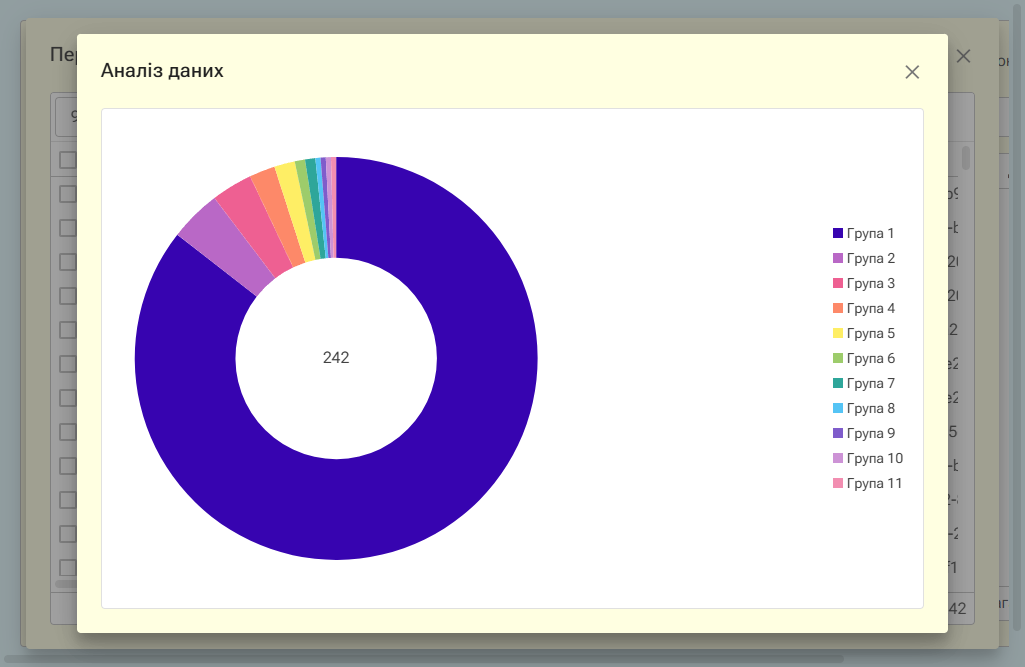
The markup for the topmost dialog:
<RadzenCard Variant="Variant.Outlined" Style="background-color:white">
    <RadzenChart Style="height:70vh">
        <RadzenDonutSeries Data=@_chartData CategoryProperty="AssetTypeLabel" ValueProperty="Total">
            <TooltipTemplate Context="data">
                <div>@data.AssetTypeLabel</div>
                <div>Оригінали: <strong>@data.Originals</strong>, зразки: <strong>@data.Representatives</strong>, разом: <strong>@data.Total</strong></div>
            </TooltipTemplate>
            <TitleTemplate>
                <div class="rz-donut-content">
                    <div>@_chartData?.Sum(i => i.Total)</div>
                </div>
            </TitleTemplate>
        </RadzenDonutSeries>
    </RadzenChart>
</RadzenCard>
Before this release, tooltips were also not always displayed the first time, but the problem could be solved by moving the mouse pointer outside the diagram and then moving it back. Now the tooltips are not displayed at all and I still can’t find a solution to this problem.
Is it possible to do something from my side to solve this problem?