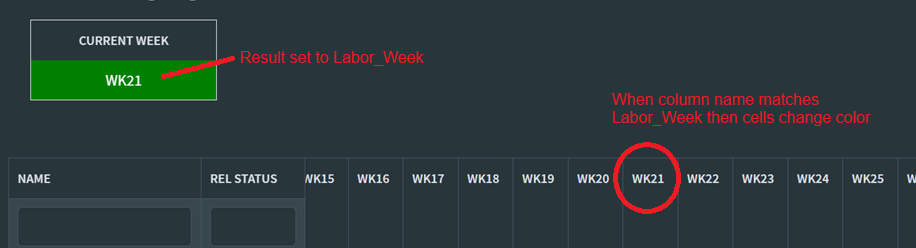
Hi everyone, I am hoping someone can help with a syntax issue. I am creating a variable and then I want to compare datagrid column name to the variable so that the cells in that column have a different background color.
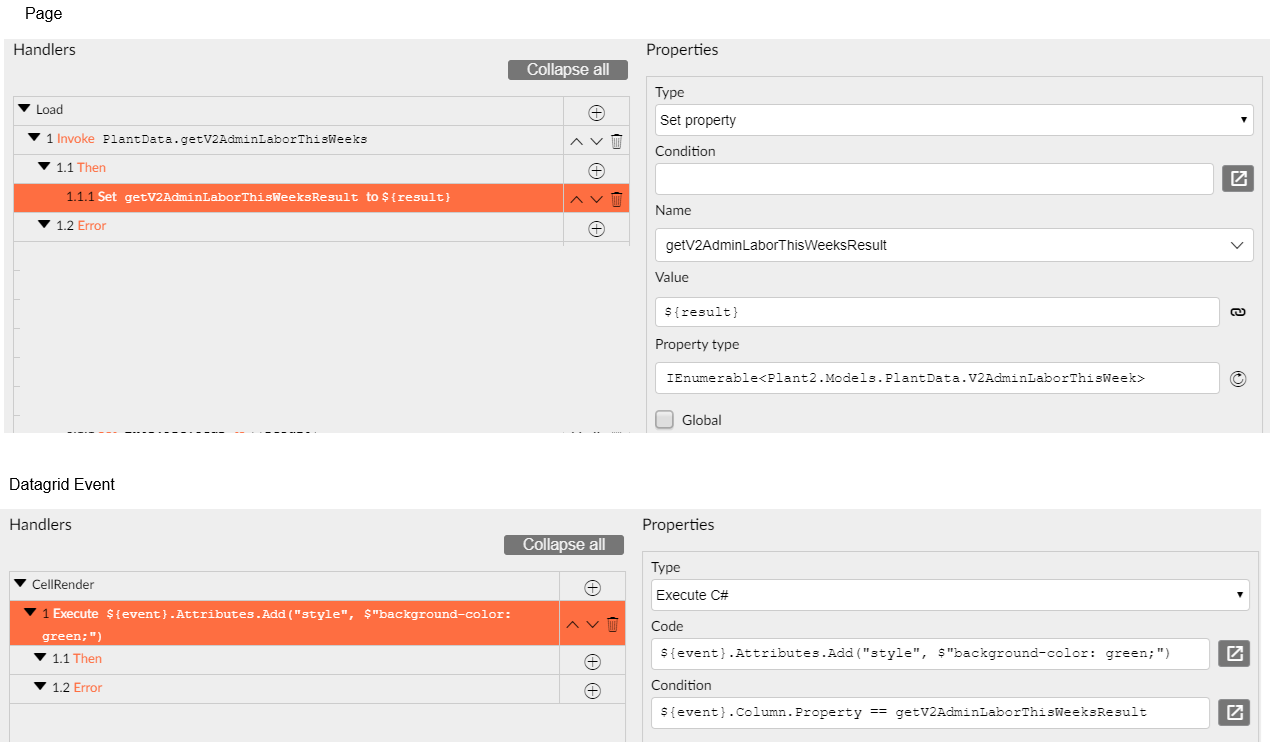
I use this C# code ${event}.Attributes.Add("style", $"background-color: green;")
and this condition ${event}.Column.Property == ${Labor_Week} to compare the column to the variable (which does return the value of WK21. This code does not work as I think I am not using the correct syntax for the varible.
If I use ${event}.Column.Property == “WK21” as a literal value, then the cells change
Hi enchev, thank you for the response. In my case, I am trying to compare the column name to a variable. The current ISO Week is returned and a property is set to the result. Then I want to compare the column name of a second datagrid to the result of the first datagrid.
There is a chance the Labor_Week actual value is not the one you expect during rendering (or you need to trigger a new render cycle of the grid after Labor_Week has changed). Try calling the Reload() method of the grid after Labor_Week has changed.
uThank, I will try the RELOAD, but is the syntax for the condition correct? Should I be using ${event}.Column.Property == ${Labor_Week} to compare Labor_Week property to the column name?
"Property" is a string and the variable you are comparing it to is a collection. You probably need to get an item from it e.g. getV2AdminLaborThisWeeksResult[0]or getV2AdminLaborThisWeeksResult.First()
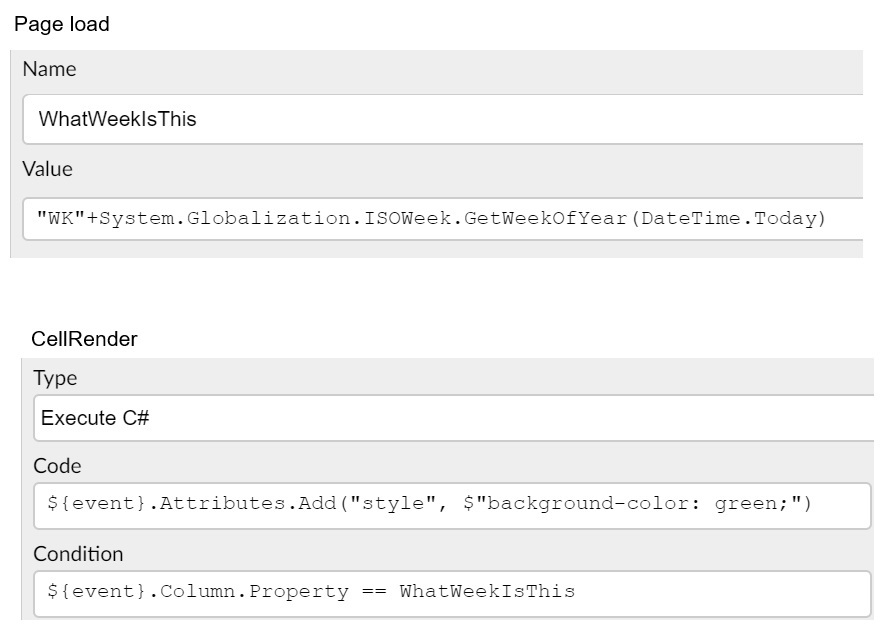
Thank you for the feedback, I was not able to get either to work, but I did find a solution by setting a property at page load and then use that in the cellrender event