Filter breakage after 8.4.3

I have filters which work fine in 8.4.3 but broke around 8.5 or 8.6.

The columns before and after the one with the filter template broke, an integer and a DateOnly.

    <RadzenDataGridColumn Property="@nameof(F_Point_of_Sale.Year)" Title="Market Year" />
    <RadzenDataGridColumn Property="@nameof(F_Point_of_Sale.Month)" Title="Month" Type="typeof(IEnumerable<string>)"
        FilterValue="@selectedMonths" FilterOperator="FilterOperator.Contains" LogicalFilterOperator="LogicalFilterOperator.Or">
        <FilterTemplate Context="column">
            <div class="rz-grid-filter">
            <RadzenListBox @bind-Value=@selectedMonths Style="width:100%;" InputAttributes="@(new Dictionary<string, object>() { { "aria-label", "filter by Month" } })"
                        Change=@OnSelectedMonthsChange Data="@(MonthNames)" AllowClear="true" Multiple="true" AllowSelectAll="false" />
            <div class="rz-grid-filter-buttons">
                        <RadzenButton Variant="Variant.Text" ButtonStyle="ButtonStyle.Base" Text="Clear" Click="@(() => MonthFilterClear(column))" />
                        <RadzenButton Variant="Variant.Text" ButtonStyle="ButtonStyle.Primary" Text="Apply" Click="@(() => MonthFilterClose(column))" />
                </div>
            </div>
        </FilterTemplate>
    </RadzenDataGridColumn>
    <RadzenDataGridColumn Property="@nameof(F_Point_of_Sale.Date)" Title="Date" />

Can you point us to some of our demos where it can be reproduced? You can use also our playground to provide runnable code demonstrating the problem.

Hi,

I don’t have anything in your playground and am not sure how to use it. I also don’t have a demo to point to for the issue. It is my own code based on studying your demos and examples for the past year and worked great in 8.4.3 but broke. The year and DateOnly filters (which are standard) now end the circuit.

I can provide the custom filter code I am using to sort the months by the calendar instead of alphabetically or provide the entire razor code for the page.

Here is the debug info when I try to filter on year with 8.7.4 (works OK on 8.4.3):

info: Microsoft.EntityFrameworkCore.Database.Command[20101]
Executed DbCommand (8ms) [Parameters=, CommandType='Text', CommandTimeout='30']
SELECT [f].[DW_Point_of_Sale_ID], [f].[Create_By], [f].[Create_Date], [f].[CreditTerms], [f].[CustClass], [f].[Customer_PO_No], [f].[Date], [f].[EndCust], [f].[Industry], [f].[Mod_By], [f].[Mod_Date], [f].[Month], [f].[Order_No], [f].[PartNumber], [f].[PriceToRep], [f].[Quantity], [f].[SalesRep], [f].[ShipToCity], [f].[ShipToState], [f].[ShipToZipCode], [f].[Territory], [f].[UnitPrice], [f].[Year]
FROM [F_Point_of_Sale] AS [f]
warn: Microsoft.AspNetCore.Components.Server.Circuits.RemoteRenderer[100]
Unhandled exception rendering component: The call is ambiguous between the following methods or properties: 'Microsoft.AspNetCore.Components.Rendering.RenderTreeBuilder.AddContent(int, Microsoft.AspNetCore.Components.MarkupString?)' and 'Microsoft.AspNetCore.Components.Rendering.RenderTreeBuilder.AddContent(int, string)'
Microsoft.CSharp.RuntimeBinder.RuntimeBinderException: The call is ambiguous between the following methods or properties: 'Microsoft.AspNetCore.Components.Rendering.RenderTreeBuilder.AddContent(int, Microsoft.AspNetCore.Components.MarkupString?)' and 'Microsoft.AspNetCore.Components.Rendering.RenderTreeBuilder.AddContent(int, string)'
at CallSite.Target(Closure, CallSite, RenderTreeBuilder, Int32, Object)
at System.Dynamic.UpdateDelegates.UpdateAndExecuteVoid3[T0,T1,T2](CallSite site, T0 arg0, T1 arg1, T2 arg2)
at Radzen.Blazor.RadzenDataGridHeaderCell1.<>c__DisplayClass0_1.<BuildRenderTree>b__23(RenderTreeBuilder __builder3) at Microsoft.AspNetCore.Components.Rendering.RenderTreeBuilder.AddContent(Int32 sequence, RenderFragment fragment) at Radzen.Blazor.RadzenListBoxItem1.BuildRenderTree(RenderTreeBuilder __builder)
at Microsoft.AspNetCore.Components.Rendering.ComponentState.RenderIntoBatch(RenderBatchBuilder batchBuilder, RenderFragment renderFragment, Exception& renderFragmentException)
fail: Microsoft.AspNetCore.Components.Server.Circuits.CircuitHost[111]
Unhandled exception in circuit 'e7Z58UQ5yG3KzjiVG3vyfOziGQd3yQyVNG_Gkre0M18'.
Microsoft.CSharp.RuntimeBinder.RuntimeBinderException: The call is ambiguous between the following methods or properties: 'Microsoft.AspNetCore.Components.Rendering.RenderTreeBuilder.AddContent(int, Microsoft.AspNetCore.Components.MarkupString?)' and 'Microsoft.AspNetCore.Components.Rendering.RenderTreeBuilder.AddContent(int, string)'
at CallSite.Target(Closure, CallSite, RenderTreeBuilder, Int32, Object)
at System.Dynamic.UpdateDelegates.UpdateAndExecuteVoid3[T0,T1,T2](CallSite site, T0 arg0, T1 arg1, T2 arg2)
at Radzen.Blazor.RadzenDataGridHeaderCell1.<>c__DisplayClass0_1.<BuildRenderTree>b__23(RenderTreeBuilder __builder3) at Microsoft.AspNetCore.Components.Rendering.RenderTreeBuilder.AddContent(Int32 sequence, RenderFragment fragment) at Radzen.Blazor.RadzenListBoxItem1.BuildRenderTree(RenderTreeBuilder __builder)
at Microsoft.AspNetCore.Components.Rendering.ComponentState.RenderIntoBatch(RenderBatchBuilder batchBuilder, RenderFragment renderFragment, Exception& renderFragmentException)

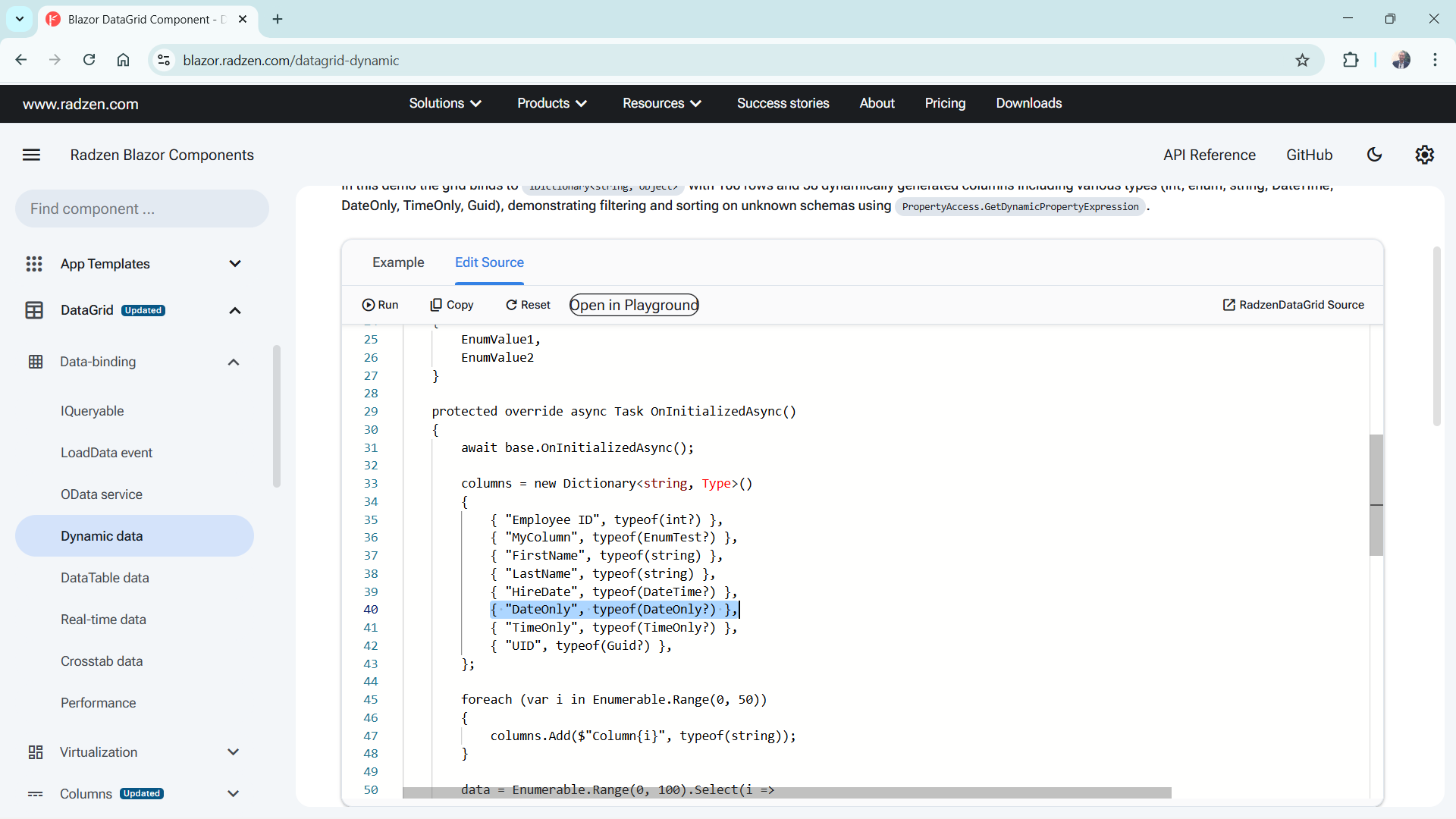
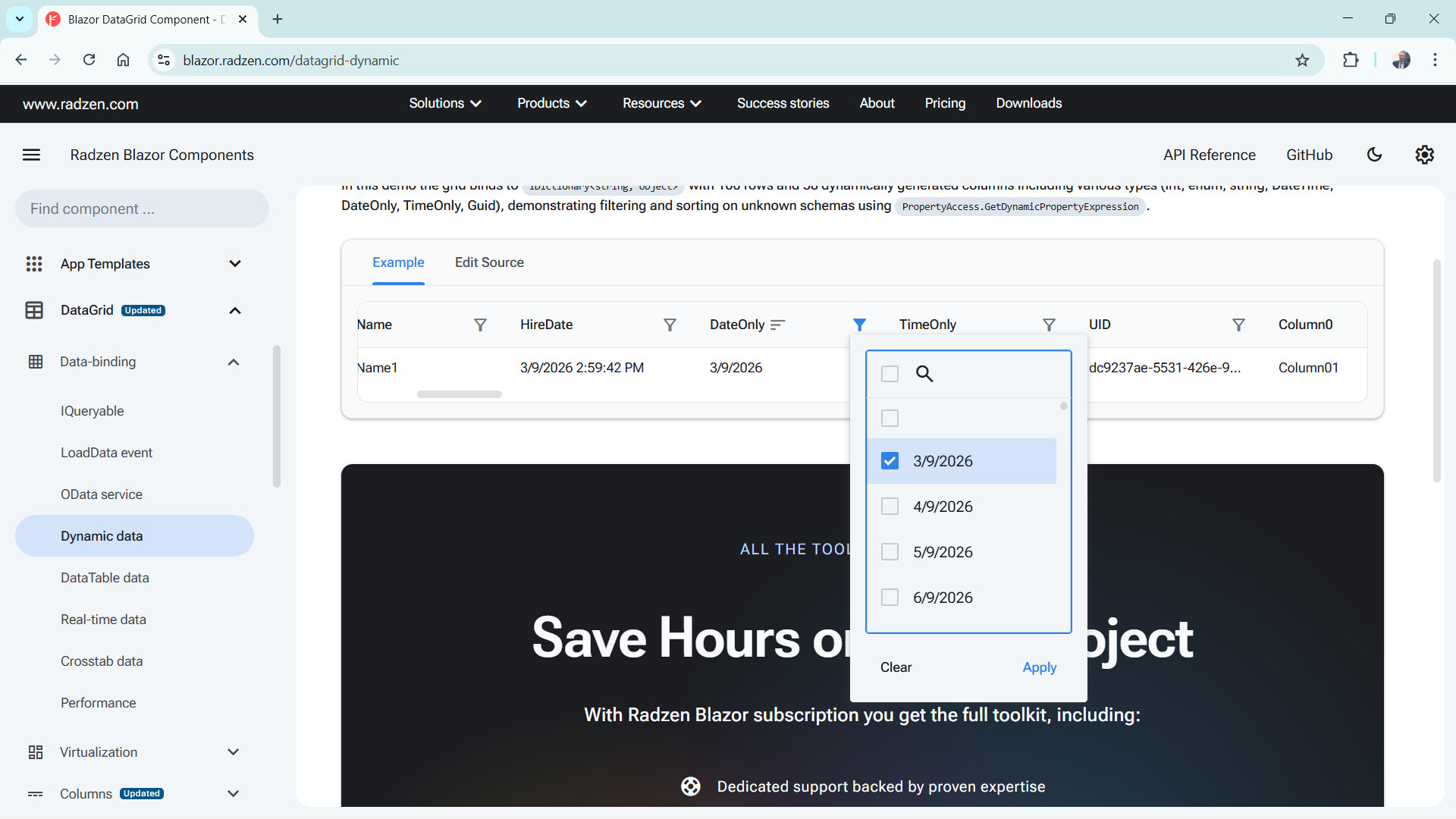
I’m afraid that this error doesn’t help much. Since you don’t have runnable code for us to test, you can attach Radzen.Blazor.csproj to your application to debug your case - the filtering on DateOnly column in this demo works without problems:

Hi,

It turns out even without the FilterTemplate column my code now has trouble filtering on any int? or string? in the table on the one razor page. Go back to 8.4.3 and no issue. This one razor page is based on a table instead of a view, and the columns are nullable. I hope that helps.

Unfortunately without reproduction of the exception we cannot do much.

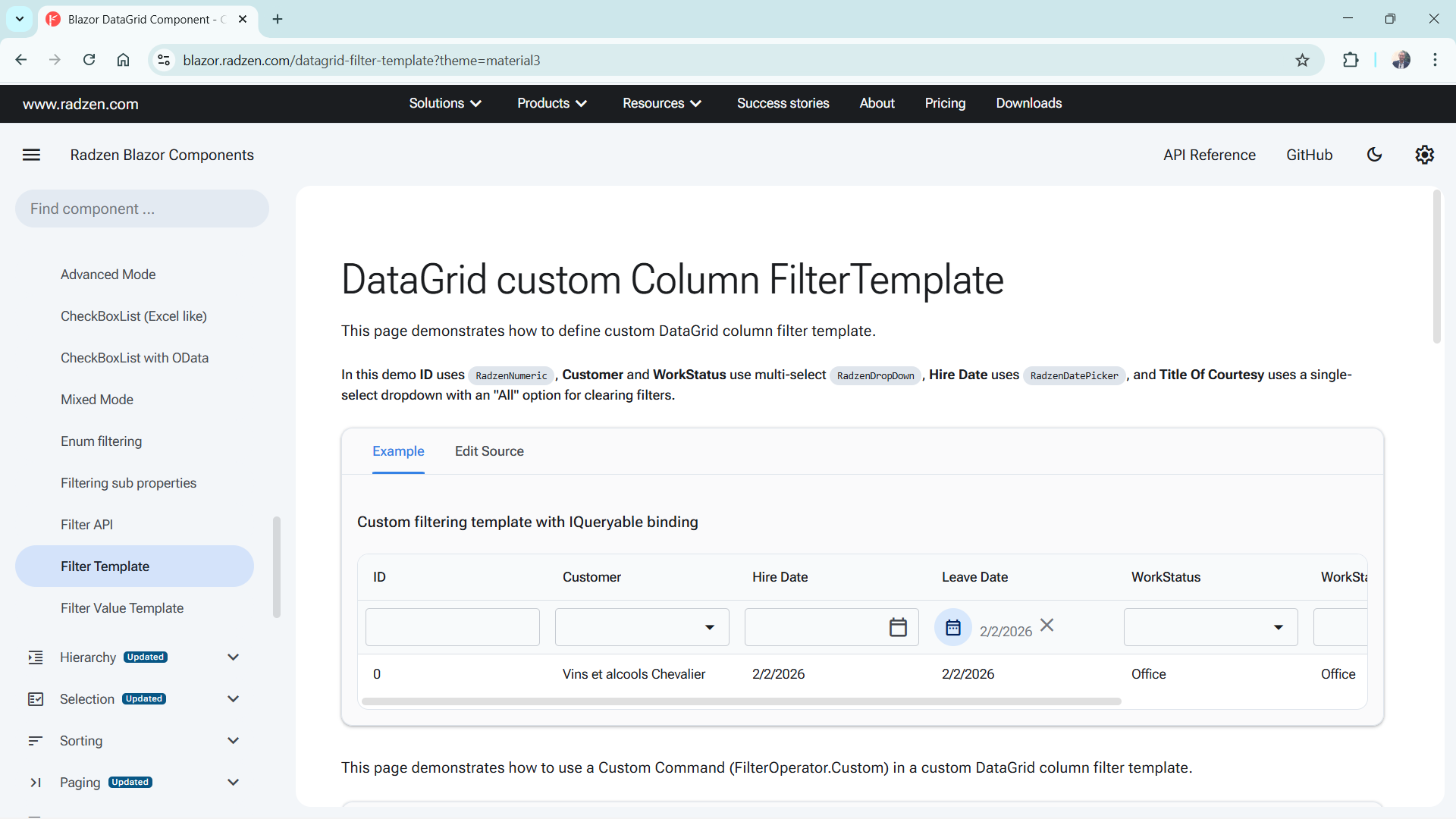
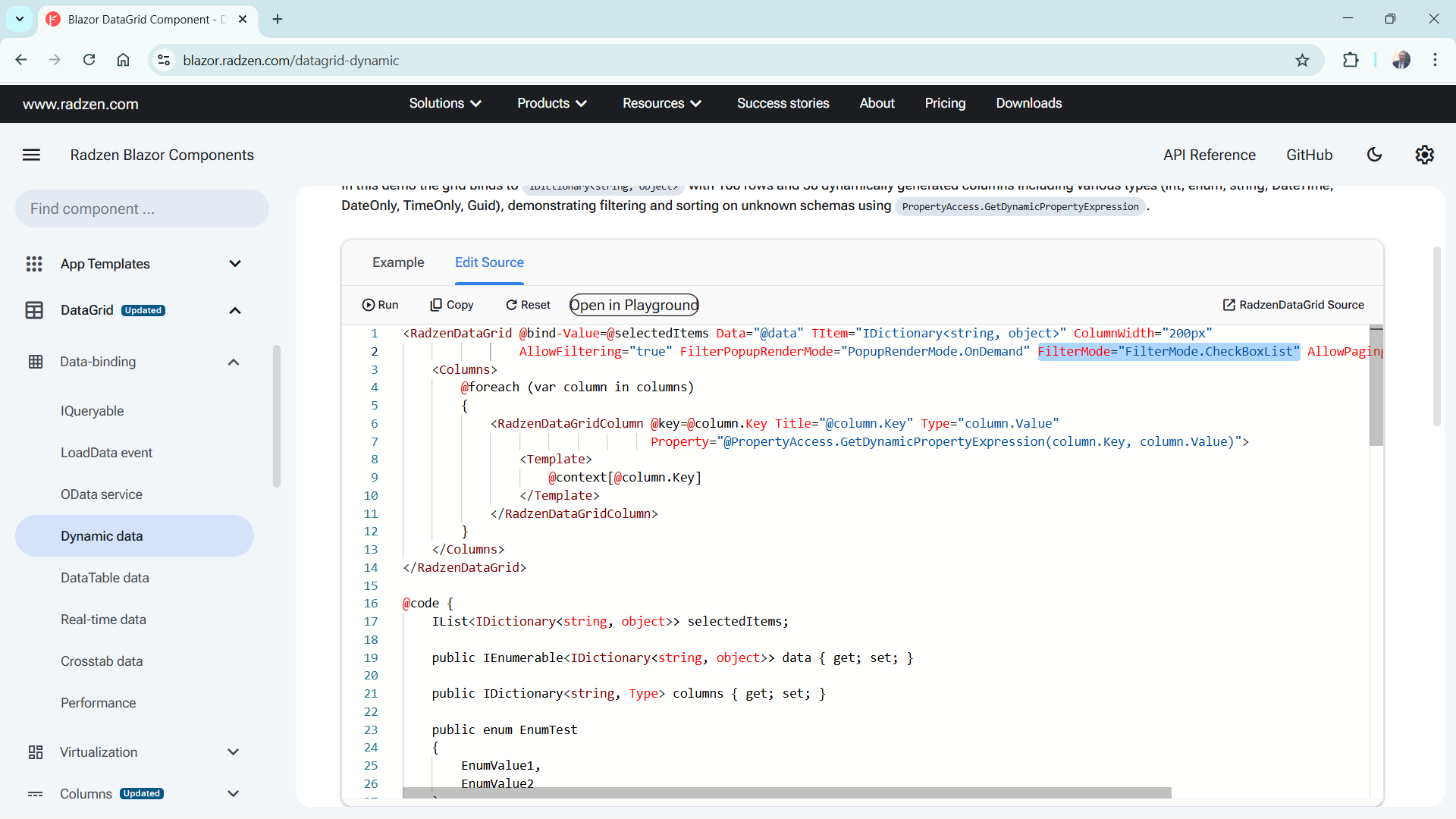
The problem was connected with use of FilterMode="FilterMode.CheckBoxList" at the RadzenDataGrid level or at the column level. When I tried FilterMode="FilterMode.Advanced" at the RadzenDataGrid in 8.7.5 it was fine.

I like the checkbox list for many columns though. It seemed to break right after 8.4.3, which works perfectly. It has nothing to do with my FilterTemplate, which was the only filter that worked when I added it and updated to 8.7.4 at the time.

I hope that helps narrow down the issue. I love your components.

That helped, thanks! The fix will be part of our next update early next week:

Hi,

I loaded RadZen components 9.0.0 this morning with some better behavior on that specific razor web page. The fix works great on the nullable string columns but not on DateOnly? and nullable numeric types like int? and double?. (Whether that’s the best use of that specific filter mode is another question.)

Thanks,

Steve

Just tested once again DateOnly? here and it worked normally:

image

image

image

Hi,

If I move the filter mode definition down to the RadZen column it fixes the issue on that page even with 8.4.3. Is there a separate issue with FilterMode being set to a default for the whole data grid at the top level? I’m OK with defining it explicitly for every column if that works.

Thanks,

Steve

In the example in my previous reply I’ve defined the filter for the entire DataGrid not just for a specific column.

<RadzenDataGrid @bind-Settings="@Settings" LoadSettings="@LoadSettings" @ref="grid0" AllowPaging="true" AllowSorting="true" AllowFiltering="true" ShowPagingSummary="true" PageSizeOptions=@(new int[] { 5, 10, 20, 30 })
                Data="@worklogs" LoadData="@Grid0LoadData" Count="@count" TItem="Models.CoreDatabase.Worklog" RowSelect="@SelectRow" CellRender="@DataGrid0CellRender" AllowColumnResize="true" AllowFilterDateInput="true" RowDoubleClick="@EditWorklog"
                AllowColumnPicking="true" PageSize="@pageSize" PageSizeChanged="@DataGrid0PageSizeChanged" CellClick="@DataGrid0CellClick">
    <HeaderTemplate>
        <RadzenStack Orientation="Orientation.Horizontal" JustifyContent="JustifyContent.SpaceBetween" AlignItems="AlignItems.Center">
            <RadzenStack Orientation="Orientation.Horizontal" JustifyContent="JustifyContent.Start" AlignItems="AlignItems.Center">
                <RadzenLabel Text="Show All Worklogs" Component="ShowAllWorklogs" />
                <RadzenSwitch Name="ShowAllWorklogs" @bind-Value="@showAllWorklogs" Change="@ShowAllWorklogsChange" />
            </RadzenStack>
            <RadzenStack Orientation="Orientation.Horizontal" JustifyContent="JustifyContent.End">
                <RadzenButton Icon="cancel" Size="ButtonSize.Small" Variant="Variant.Text" ButtonStyle="ButtonStyle.Base" Click="@ResetGrid" />
            </RadzenStack>
        </RadzenStack>
    </HeaderTemplate>
    <Columns>
        <RadzenDataGridColumn Width=20px Pickable="false" Resizable="false" Filterable="false" Sortable="false" Groupable="false" AllowCheckBoxListVirtualization="false" UniqueID="Format" />
        <RadzenDataGridColumn Property="Id" Title="Task Number" />
        @if (showDropdowns)
        {
            <RadzenDataGridColumn TItem="Models.CoreDatabase.Worklog" Title="Reference" Property="PolicyReference" Filterable="true" />
            <RadzenDataGridColumn TItem="Models.CoreDatabase.Worklog" Title="Name" Property="PolicyName" Visible="false" Filterable="true" />
        }
        <RadzenDataGridColumn Property="StartDate" Title="Start Date" Pickable="false">
            <Template Context="worklog">
                @worklog.StartDate.ToString("dd/MM/yyyy")
            </Template>
        </RadzenDataGridColumn>
        <RadzenDataGridColumn Property="Description" Title="Description" Pickable="false" />
        <RadzenDataGridColumn Property="DueDate" Title="Due Date" Pickable="false" SortOrder="SortOrder.Ascending">
            <Template Context="worklog">
                @worklog.DueDate.ToString("dd/MM/yyyy")
            </Template>
        </RadzenDataGridColumn>
        <RadzenDataGridColumn Property="DaysOutstanding" Title="Days Outstanding" Visible="false" Sortable="false" Filterable="false" />
        <RadzenDataGridColumn Property="Team.Name" Title="Team" />
        <RadzenDataGridColumn Property="Task.Description" Title="Task" />
        <RadzenDataGridColumn Property="AssignedUser.Name" Title="Assigned To" />
        <RadzenDataGridColumn Property="Notes" Title="Notes" Visible="false" />
        <RadzenDataGridColumn Property="VerifiedDateTimeStamp" Title="Verified Date" Pickable="true" SortOrder="SortOrder.Ascending" Visible="false">
            <Template Context="worklog">
                @worklog.VerifiedDateTimeStamp?.ToString("dd/MM/yyyy")
            </Template>
        </RadzenDataGridColumn>
        <RadzenDataGridColumn Property="VerifiedByUser.Name" Title="Verified By" Visible="false" />
        <RadzenDataGridColumn Property="CompletedDate" Title="Completed Date" Pickable="true" SortOrder="SortOrder.Ascending" Visible="false">
            <Template Context="worklog">
                @worklog.CompletedDate?.ToString("dd/MM/yyyy")
            </Template>
        </RadzenDataGridColumn>
        <RadzenDataGridColumn Property="CompletedByUser.Name" Title="Completed By" Pickable="true" Visible="false" />
        <RadzenDataGridColumn Property="Status.Description" Title="Status" />
    </Columns>
fail: Microsoft.EntityFrameworkCore.Database.Command[20102]
      Failed executing DbCommand (33ms) [Parameters=[], CommandType='Text', CommandTimeout='30']
      SELECT [b].[Date]
      FROM [dbo].[BankHoliday] AS [b]
fail: Microsoft.EntityFrameworkCore.Query[10100]
      An exception occurred while iterating over the results of a query for context type 'Core.Data.CoreDatabaseContext'.
      System.InvalidOperationException: Invalid operation. The connection is closed.
         at Microsoft.Data.SqlClient.SqlCommand.<>c.<ExecuteDbDataReaderAsync>b__195_0(Task`1 result)
         at System.Threading.Tasks.ContinuationResultTaskFromResultTask`2.InnerInvoke()
         at System.Threading.ExecutionContext.RunInternal(ExecutionContext executionContext, ContextCallback callback, Object state)
      --- End of stack trace from previous location ---
         at System.Threading.ExecutionContext.RunInternal(ExecutionContext executionContext, ContextCallback callback, Object state)
         at System.Threading.Tasks.Task.ExecuteWithThreadLocal(Task& currentTaskSlot, Thread threadPoolThread)
      --- End of stack trace from previous location ---
         at Microsoft.EntityFrameworkCore.Storage.RelationalCommand.ExecuteReaderAsync(RelationalCommandParameterObject parameterObject, CancellationToken cancellationToken)
         at Microsoft.EntityFrameworkCore.Storage.RelationalCommand.ExecuteReaderAsync(RelationalCommandParameterObject parameterObject, CancellationToken cancellationToken)
         at Microsoft.EntityFrameworkCore.Query.Internal.SingleQueryingEnumerable`1.AsyncEnumerator.InitializeReaderAsync(AsyncEnumerator enumerator, CancellationToken cancellationToken)
         at Microsoft.EntityFrameworkCore.SqlServer.Storage.Internal.SqlServerExecutionStrategy.ExecuteAsync[TState,TResult](TState state, Func`4 operation, Func`4 verifySucceeded, CancellationToken cancellationToken)
         at Microsoft.EntityFrameworkCore.Query.Internal.SingleQueryingEnumerable`1.AsyncEnumerator.MoveNextAsync()
      System.InvalidOperationException: Invalid operation. The connection is closed.
         at Microsoft.Data.SqlClient.SqlCommand.<>c.<ExecuteDbDataReaderAsync>b__195_0(Task`1 result)
         at System.Threading.Tasks.ContinuationResultTaskFromResultTask`2.InnerInvoke()
         at System.Threading.ExecutionContext.RunInternal(ExecutionContext executionContext, ContextCallback callback, Object state)
      --- End of stack trace from previous location ---
         at System.Threading.ExecutionContext.RunInternal(ExecutionContext executionContext, ContextCallback callback, Object state)
         at System.Threading.Tasks.Task.ExecuteWithThreadLocal(Task& currentTaskSlot, Thread threadPoolThread)
      --- End of stack trace from previous location ---
         at Microsoft.EntityFrameworkCore.Storage.RelationalCommand.ExecuteReaderAsync(RelationalCommandParameterObject parameterObject, CancellationToken cancellationToken)
         at Microsoft.EntityFrameworkCore.Storage.RelationalCommand.ExecuteReaderAsync(RelationalCommandParameterObject parameterObject, CancellationToken cancellationToken)
         at Microsoft.EntityFrameworkCore.Query.Internal.SingleQueryingEnumerable`1.AsyncEnumerator.InitializeReaderAsync(AsyncEnumerator enumerator, CancellationToken cancellationToken)
         at Microsoft.EntityFrameworkCore.SqlServer.Storage.Internal.SqlServerExecutionStrategy.ExecuteAsync[TState,TResult](TState state, Func`4 operation, Func`4 verifySucceeded, CancellationToken cancellationToken)
         at Microsoft.EntityFrameworkCore.Query.Internal.SingleQueryingEnumerable`1.AsyncEnumerator.MoveNextAsync()
info: Microsoft.EntityFrameworkCore.Database.Command[20101]

Invalid predicate x => (((x.AssignedUser == null) ? :x.AssignedUser.Name) ?? "").Contains("Investment")
private async Task Grid0LoadData(LoadDataArgs args)
{
    try
    {
        customFilter = string.Empty;

        var query = CoreDatabaseService.GetWorklogs()
            .AsNoTracking();

        // Detect whether Radzen added a default filter for Reference/Name
        bool overrideReferenceFilter = args.Filters?.Any(f => f.Property == "PolicyReference") == true;
        bool overrideNameFilter = args.Filters?.Any(f => f.Property == "PolicyName") == true;

        // Apply Radzen dynamic filter ONLY if not handled manually
        if (!string.IsNullOrEmpty(args.Filter) && !overrideReferenceFilter && !overrideNameFilter)
            query = query.Where(args.Filter);

        // Outstanding only
        if (!showAllWorklogs)
        {
            query = query.Where(i => i.Status.IsOutstanding);
            customFilter = "x => x.Status.IsOutstanding";
        }

        // Portfolio filter
        if (PortfolioId.HasValue)
        {
            query = query.Where(i => i.PortfolioId == PortfolioId.Value);

            var clause = $"x => x.PortfolioId == {PortfolioId.Value}";
            customFilter = CoreService.ExportFilterCombine(customFilter, clause);
        }
        else
        {
            query = query
                .Include(i => i.Portfolio).ThenInclude(i => i.Policy).ThenInclude(i => i.Product)
                .Include(i => i.Portfolio).ThenInclude(i => i.CommonInvestmentFund);

            // Manual filter handling
            if (args.Filters != null && args.Filters.Any())
            {
                foreach (var filter in args.Filters)
                {
                    if (filter.Property == "PolicyReference" && filter.FilterValue is string reference)
                    {
                        query = query.Where(w =>
                            (w.Portfolio.Policy != null && w.Portfolio.Policy.Reference.Contains(reference)) ||
                            (w.Portfolio.CommonInvestmentFund != null && w.Portfolio.CommonInvestmentFund.Reference.Contains(reference)));

                        // Add to customFilter for export if needed
                        var clause = $"x => (x.Portfolio.Policy.Reference.Contains(\"{reference}\") || x.Portfolio.CommonInvestmentFund.Reference.Contains(\"{reference}\"))";
                        customFilter = CoreService.ExportFilterCombine(customFilter, clause);
                    }

                    if (filter.Property == "PolicyName" && filter.FilterValue is string name)
                    {
                        query = query.Where(w =>
                            (w.Portfolio.Policy != null && w.Portfolio.Policy.Name.Contains(name)) ||
                            (w.Portfolio.CommonInvestmentFund != null && w.Portfolio.CommonInvestmentFund.Name.Contains(name)));

                        var clause = $"x => (x.Portfolio.Policy.Name.Contains(\"{name}\") || x.Portfolio.CommonInvestmentFund.Name.Contains(\"{name}\"))";
                        customFilter = CoreService.ExportFilterCombine(customFilter, clause);
                    }
                }
            }
        }

        // Dropdown filters
        if (showDropdowns)
        {
            if (selectedUser.HasValue)
            {
                query = query.Where(i => i.AssignedUserId == selectedUser.Value);

                var clause = $"x => x.AssignedUserId == {selectedUser.Value}";
                customFilter = CoreService.ExportFilterCombine(customFilter, clause);
            }

            if (selectedTeam.HasValue)
            {
                query = query.Where(i => i.TeamId == selectedTeam.Value);

                var clause = $"x => x.TeamId == {selectedTeam.Value}";
                customFilter = CoreService.ExportFilterCombine(customFilter, clause);
            }

            if (!string.IsNullOrEmpty(selectedTask))
            {
                query = query.Where(i => i.Task.Description == selectedTask);

                var clause = $"x => x.Task.Description == \"{selectedTask}\"";
                customFilter = CoreService.ExportFilterCombine(customFilter, clause);
            }
        }

        // Includes
        query = query
            .Include(i => i.AssignedUser)
            .Include(i => i.VerifiedByUser)
            .Include(i => i.CompletedByUser)
            .Include(i => i.Status)
            .Include(i => i.Task)
            .Include(i => i.Team);

        // Sorting
        if (!string.IsNullOrEmpty(args.OrderBy))
        {
            bool asc = args.OrderBy.EndsWith("asc");

            if (args.OrderBy.StartsWith("PolicyReference"))
            {
                query = asc
                    ? query.OrderBy(w => w.Portfolio.Policy.Reference ?? w.Portfolio.CommonInvestmentFund.Reference).ThenBy(w => w.Id)
                    : query.OrderByDescending(w => w.Portfolio.Policy.Reference ?? w.Portfolio.CommonInvestmentFund.Reference).ThenBy(w => w.Id);
            }
            else if (args.OrderBy.StartsWith("PolicyName"))
            {
                query = asc
                    ? query.OrderBy(w => w.Portfolio.Policy.Name ?? w.Portfolio.CommonInvestmentFund.Name).ThenBy(w => w.Id)
                    : query.OrderByDescending(w => w.Portfolio.Policy.Name ?? w.Portfolio.CommonInvestmentFund.Name).ThenBy(w => w.Id);
            }
            else
            {
                query = query.OrderBy($"{args.OrderBy}, Id asc");
            }
        }
        else
        {
            query = query.OrderByDescending(i => i.Id);
        }

        // Execute
        count = query.Count();
        worklogs = query.Skip(args.Skip.Value).Take(args.Top.Value).ToList();
    }
    catch (Exception ex)
    {
        NotificationService.Notify(new NotificationMessage() { Severity = NotificationSeverity.Error, Summary = $"Error", Detail = $"Unable to load Worklog grid - {ex.Message}" });
    }
}

I’m also having some issues on filtering via the grid dropdowns since upgrading to the latest versions 9.0 above. I’ve pushed my version back to 8.x and it’s working again.

We will need a way to replicate the error in order to provide more info/fix.

Hi. Sorry, I thought I had put all the code sections needed (UI, grid load and the error). What else would you need?

We need runnable code reproducing the error - if you cannot suply such we cannot do much. Alternatively you can attach Radzen.Blazor.csproj to your application and debug the exception yourself.

UPDATE: Actually we were able to track and fix the issue - the fix will be published later today.

Hi,

I would be happy to send the entire razor page. I did not see the .csproj you mentioned. That might be helpful now or in the future.

Meanwhile by not specifying the FilterMode as checkbox at the data grid level my data grid can now filter properly.

The fix is already released - try the latest update 9.0.3.

Version 9.0.3 is not working for me in regard to filtering circuit breaks with checkbox mode. I thought I had worked around the issue with 9.0.x, but I need to stay with 8.4.3 on this app for now.

If you can guide me for any settings to send you better debug info, I can try that. You mentioned a .csproj which I did not see. Or I can send you the entire razor page plus the scaffolding for the relevant table/view so you can see the types. Again, I have another similar razor page with nullable types in the data grid which is working fine with checkbox filtering, where I moved the settings down to the column level.