Using the example code that is provided with RadzenMenu which has a RadzenMenu inside of a RadzenCard if I don't set the height in the RadzenCard in the style property, then only the first row of RadzesMenuItems can be selected.
If I set it to 120px then I can select two rows. And presumably if I set it to a larger number, I could select still more. Otherwise, when I hover over the item, it does not get highlighted and cannot be selected.
However, I don't want the menu area to have to be the height of the menuItem with the most children.
What do I need to do to enable the lower menu items to be selected without setting the style for the RadzenCard height to a large number?
And if it matters, I am using events for navigation because I have a single page application in reality though it appears otherwise to the user.
I have the same issue here. I have the menu on the header (top), but subitems are not accessible. Actually, they appear under the main container and are not accessible. I tried multiple scenarios, using cards, header, or even directly on the page but always the same. I am looking for a way to have a "minimalistic" menu for mobile use and I thought this would be perfect, but I need your help to figure this out.
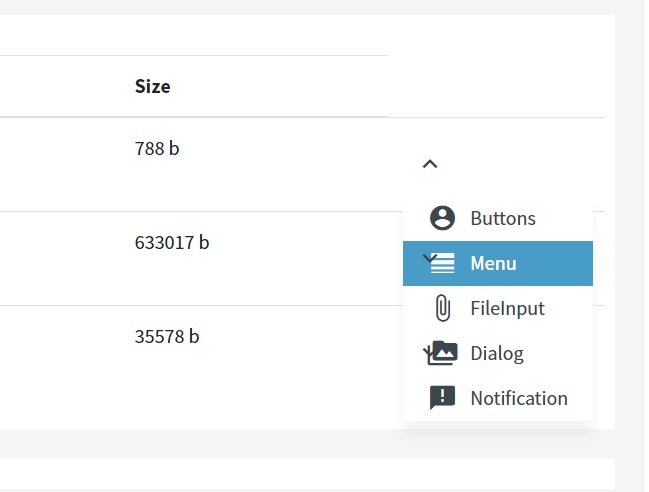
Hi. I've got a similar problem to BillyBob. My RadzenMenu is dynamically created into a loop in a table. My problem is when click on any, the "down arrow" of the below RadzenMenu is still visible instead of keep under the RadzenMenuItems list.